November 20, 2026
550 Email Blocked: Read the Code and Fix It
You hit send at 9:14 on a Tuesday. By 9:20 the campaign report is a wall of red, and one line repeats down the column: 550 email blocked. The list came from a source that looked clean. The copy tested fine on two colleagues. So you do the obvious thing, tick the failed addresses, and hit resend.
That resend is the mistake, and it's the reason the same accounts look worse a week later.
Table of Contents
- What a 550 Email Blocked Bounce Actually Means
- Match the Enhanced Code to the Right Fix
- How to Diagnose a 550 Before You Resend
- Why Small Senders Get 550s and How to Stop Repeats
- Repair the Domain or Hand Off the Sending
What a 550 Email Blocked Bounce Actually Means
Readers may not examine the bounce closely enough to notice it's a refusal, not an error. The RFC 5321 specification, in the form published in March 2010, defines the response as “Requested action not taken: mailbox unavailable.” Three representative causes sit behind that single code: the mailbox may not exist, the sender may lack access, or the receiving server may reject the command for policy reasons.
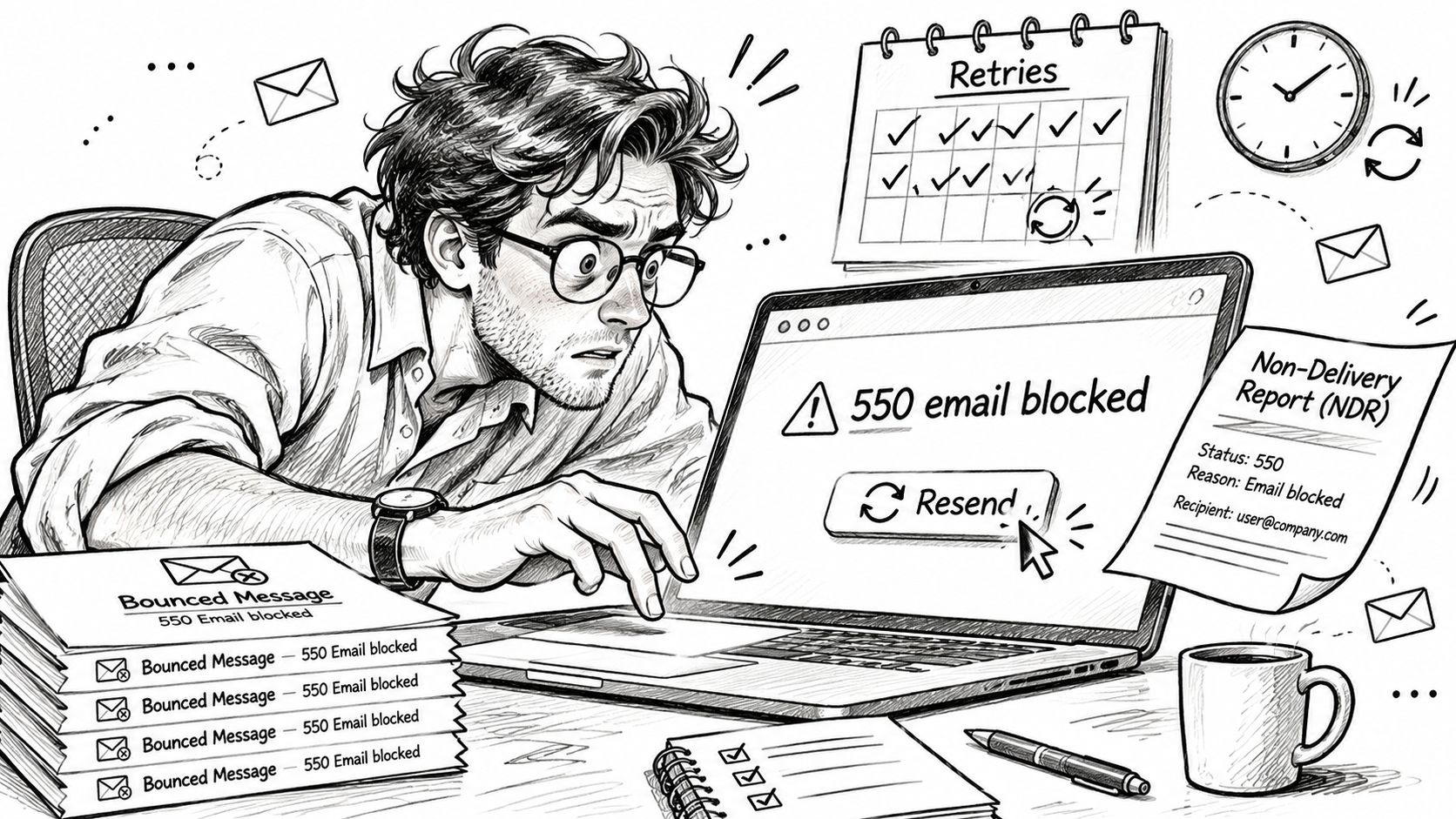
The three-digit number tells you none of them. What it does tell you is permanence. A 5xx response means the receiving system will not accept this message under these conditions, so retrying it unchanged accomplishes nothing. A 4xx is the opposite: temporary, come back later. Send enough unchanged 5xx retries and the retries themselves become a reputation signal, which is how a bad address list turns into a blocked domain.
The enhanced status code narrows the field. A 550 paired with 5.1.1 generally indicates an unknown destination mailbox. A 550 paired with 5.7.1 points toward authorization or policy refusal. Same prefix, opposite repairs: 5.1.1 belongs to your list, 5.7.1 belongs to your authentication, your sending reputation, or the recipient's rules.
A 550 tells you the door is closed. The enhanced code tells you which door. The server's sentence tells you who locked it.
Treating every 550 as a list-hygiene problem sends the wrong crew to the wrong fire. Address validation fixes dead mailboxes and does nothing for a sender the receiving side refused at the door. If the only thing you've rebuilt is the copy, a free email sequence generator will sharpen the next draft, but it won't open a door locked on policy.
Before you touch DNS or delete a single contact, copy the full SMTP line, enhanced code and diagnostic text included. That line is the only part of the exchange that names the fault.
Match the Enhanced Code to the Right Fix
Pull the bounce out of the inbox and find your exact code. The table maps the pairings you'll see to the single move each one needs.
| Enhanced code | Plain meaning | Usual cause | Next move |
|---|---|---|---|
| 550 5.1.1 | Unknown destination mailbox | Address never existed or was retired | Verify once, then suppress. Do not retry. |
| 550 5.4.1 | No answer from host | Network or routing failure on the path to the receiving server | Read the diagnostic text and check routing or DNS before touching the message. |
| 550 5.7.1 | Delivery not authorized, message refused | Failed authentication, blocklisted IP, recipient policy, or spam filtering | Read the diagnostic text, then check SPF, DKIM, DMARC, and reputation. |
| 550 5.7.26 | Authentication or policy refusal | DMARC, alignment, content, or recipient-server rules | Repair alignment and policy before another send to that domain. |
| 550 5.7.515 | Microsoft consumer rejection | 5,000 or more messages to Outlook.com, Hotmail, or Live from one From domain without proper authentication | Publish SPF and DKIM, a valid DMARC policy, and align with the visible From domain. |
| Gmail 550 5.7.1 IP suspended | Sending IP is on a suspended list | Shared or burned IP reputation | Leave that IP. Rewriting the email will not clear it. |
The two rows people mix up
5.1.1 and 5.7.1 share a prefix and nothing else. The RFC 3463 enhanced status framework is where 5.7.1 gets its meaning: "delivery not authorized, message refused." The first digit names the result class, so 5 means permanent failure. The second names the subject, and 7 is security or policy. That's a different animal from 5.1.1, which names a bad or nonexistent destination mailbox.
What 5.7.1 won't do is tell you which policy you broke. Failed sender authorization, a blocklisted sending IP, a strict acceptance rule at the recipient organization, or plain spam filtering all produce it. The code is deliberately vague, so the server's sentence and your delivery logs carry the diagnosis.
550 5.4.1 sits in a different bucket entirely. The 4 in the second position flags a network or routing problem: the message left your side and the receiving host never answered. That points at DNS, connectivity, or a dead relay hop between you and the recipient. Rewriting the subject line fixes none of that. Read the diagnostic text, check your routing, and let the message be.
What 5.7.26 and 5.7.515 are telling you
550 5.7.26 is the cousin that usually lands on authentication, alignment, content, or recipient-server policy, and DMARC is the usual suspect. 550 5.7.515 is Microsoft's rejection for consumer mailboxes when authentication and alignment fail at volume. Both are repair jobs on the sending identity, not the address.
There's also the case where the bounce names your IP directly. A Gmail 550 5.7.1 that says the sending IP is suspended is an infrastructure verdict, and no amount of copy editing clears it. You either move the sending or lose the recipient domain.
Every row resolves to one of four actions: suppress the recipient, repair authentication, leave the IP, or fix the route and stop hammering that domain. Pick from those four and you're already ahead.
Retrying a permanent 5xx is not neutral. It's a signal that the sending side isn't listening, and receiving servers keep score. A campaign with 40 rows and 3 distinct causes is not a dead campaign. Classify it per recipient, keep the healthy segment running, and run the draft through a cold email copy grader only once the infrastructure side is clean.
How to Diagnose a 550 Before You Resend
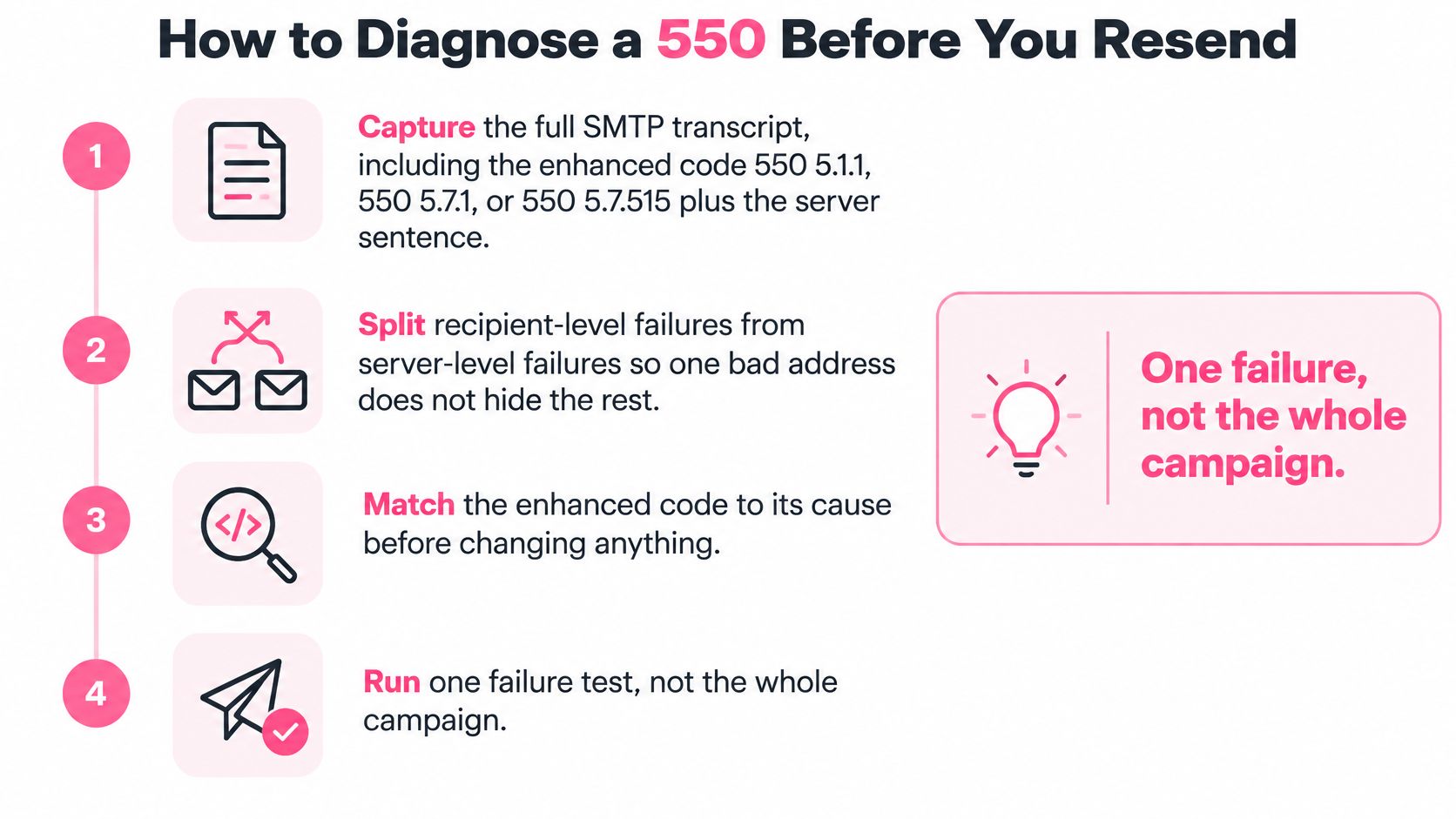
Diagnose one failure, not the whole campaign. A bounce report with 40 rows usually hides two or three distinct causes, and treating it as one problem means fixing none of them.
Start with the transcript, not the list
1. Capture the complete SMTP transcript. Copy the enhanced code (550 5.1.1, 550 5.7.1, 550 5.7.515) and the server's own sentence, word for word. The why: the sentence is the only place the receiving side names its reason. The slip is screenshotting the red row in your dashboard, which usually truncates the diagnostic text.
2. Split recipient-level failures from domain-level and IP-level blocks. One bad address is not a dead domain, and a dead domain is not a dead list. The slip is pausing a campaign because three addresses at one company hard-bounced.
3. For 5.1.1, verify the mailbox and then suppress it. Don't retry it as if it were a temporary 4xx. Suppression is the whole fix, and repeating a permanent rejection is how a clean list picks up a reputation problem.
4. For policy codes, work the authentication stack. Check reverse DNS against forward DNS, confirm TLS, then SPF, DKIM, and DMARC. Alignment requires at least one authenticated identifier to match the visible From domain. Header-level checking matters because SPF and DKIM can both pass while the DKIM signature belongs to your provider's domain and never aligns with your From address.
If you'd rather watch the sequence than read it, this walkthrough covers the same ground.
Read the headers, not the dashboard
5. Compare the three identities. Look at the envelope sender (5321.MailFrom), the visible From address (5322.From), and the DKIM signing domain. When those three disagree, DMARC fails even though every individual check reports a pass. This is the most common single misconfiguration behind a 550 5.7.1.
6. Send one probe to a mailbox you control at that provider. Read the Authentication-Results header on what arrives. The why: it's the only test where you see what the receiver concluded. The slip is raising volume to "test properly," which converts a small problem into a domain-level one.
7. Pause or reduce traffic to the refusing domain until failures stop. A policy block doesn't clear while you keep hammering it. Resume small.
Practical rule: if the code starts with 5, a resend contains no new information. Change something first, or don't send.
Three traps keep showing up. Assuming every 550 is a bad address, rotating domains before you know the policy trigger, and testing only against Gmail because that's the account you have. Corporate gateways enforce differently from consumer providers, and a campaign that passes one will fail the other.
Run the sending domain through a free email deliverability checker to confirm SPF, DKIM, DMARC, and MX before you spend another hour reading bounce rows. Before any resend decision, also check the sending IP against the major public blocklists and note any listing beside the enhanced code. A blocklisted IP produces a 5.7.1 that no amount of rewriting will fix.
For a wider tour of the bounce categories that sit around this one, troubleshooting bounced business emails covers the failures a small sending team meets most often.
Why Small Senders Get 550s and How to Stop Repeats
The objection arrives in almost every conversation: I send a few hundred emails a day, so these rules are for the bulk senders. That was never quite true, and it gets less true every year.
Gmail and Yahoo introduced authentication and complaint-rate expectations in February 2024. Microsoft began enforcing comparable rules for Outlook.com, Hotmail, and Live addresses in May 2025. Since then, enforcement has shifted toward hard 5xx responses rather than quiet spam placement. A low-volume sender now hits a brick wall instead of landing in a folder.
What the 5,000 line does not cover
Gmail's commonly cited bulk threshold is about 5,000 messages per day to personal Gmail addresses, per Warmy's summary of the Google and Yahoo sender requirements. Plenty of legitimate B2B campaigns never get near it. That threshold decides which mandatory bulk features apply, such as one-click unsubscribe and DMARC alignment at scale. It does not exempt you from the baseline.
Google's sender guidelines set that baseline: SPF or DKIM authentication, valid forward and reverse DNS including a PTR record, mail sent over TLS, and the spam rate in Postmaster Tools kept under 0.3%. None of it depends on daily volume. A 200-email day with broken authentication earns the same 550 as a 200,000-email day.
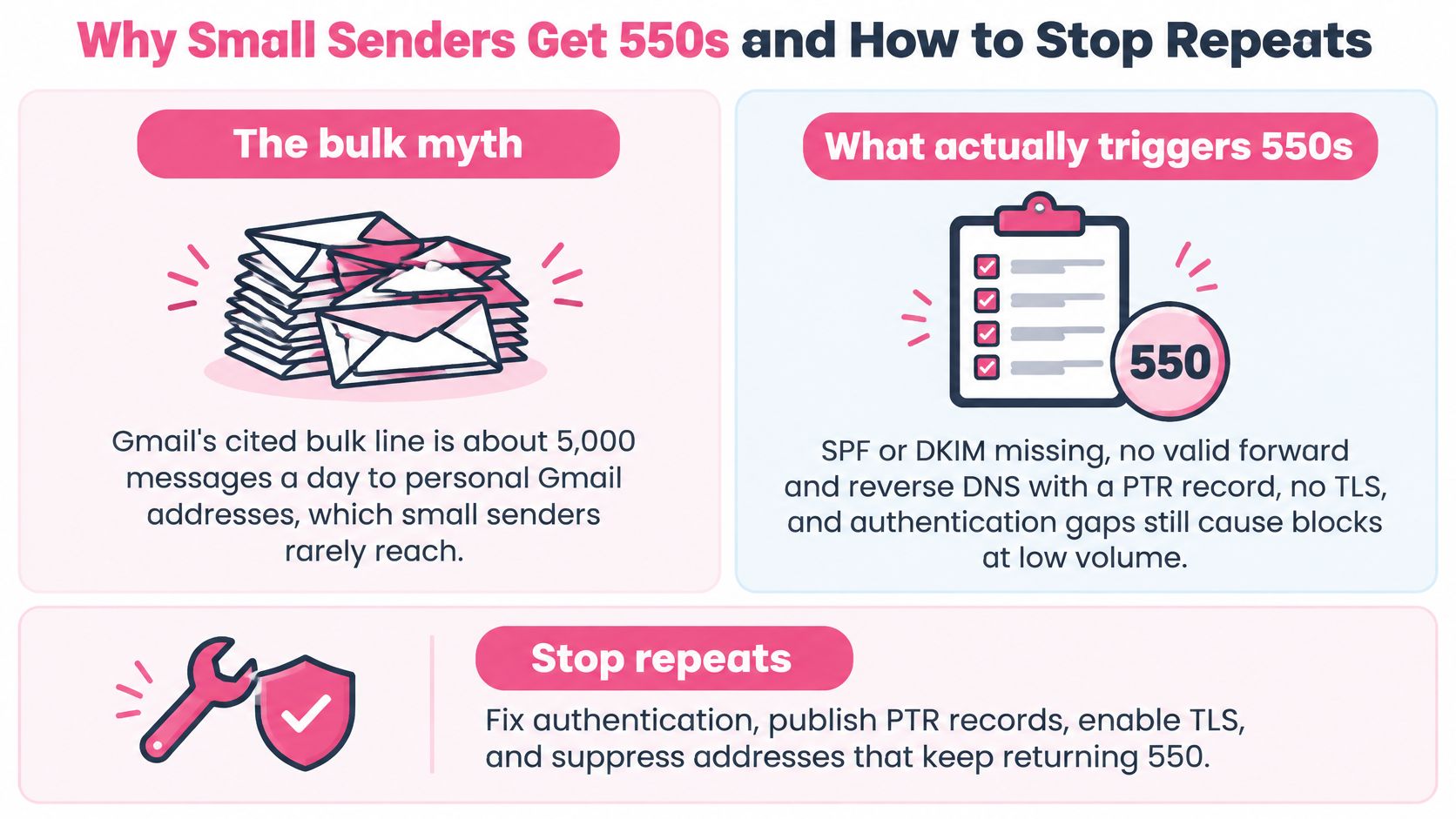
A 550 also doesn't prove your content was the problem. Authentication failure, domain or IP reputation, complaint rates, and recipient-specific policy all produce policy rejections. Smaller senders tend to sit on shared infrastructure they don't control, which means someone else's bad week lands in your bounce report.
Fixing 5.7.515 in the right order
For Microsoft consumer mailboxes, Microsoft's guidance on the 550 5.7.515 rejection sets the threshold at 5,000 or more messages to Microsoft consumer services from the same From domain. Above that line, authentication failures produce outright rejection rather than a trip to the junk folder. The remediation runs in a specific order, and doing it out of sequence wastes days.
- Publish SPF and DKIM before anything else, then confirm the return-path or DKIM signing domain is properly authorized.
- Publish a valid DMARC policy at the domain that appears in From, not on a subdomain you send from once a month.
- Align, so SPF or DKIM matches the visible From domain. This is the step senders skip, and it's the one that decides the outcome.
- Re-probe with one message to a mailbox you control, then read the received headers. DNS records and server logs confirm the fix. The marketing dashboard won't.
The most frequent implementation error is fixing SPF while leaving DKIM or DMARC alignment broken. Everything looks repaired and the rejection continues.
Google applies the same reputation logic. Under its sender guidelines, 0.1% user-reported spam is the working ceiling and 0.3% is the line where senders lose mitigation support. Treat those as guardrails, not targets. And expect no universal 550 recovery rate, because the code can mean a dead mailbox, a suspended IP, failed authentication, or a recipient policy. Those four have wildly different fixes.
A bounce rate you can explain is a metric. A bounce rate you resend through is a habit.
Habits that stop repeats
Suppress every address that returned a permanent 5xx. Never resend it unchanged. One suppression rule kills more 550s than any copy rewrite.
Warm new domains and IPs before real volume. A domain that starts at a few hundred a day and climbs gives receiving servers a pattern to trust.
Avoid campaigns on shared IPs you can't leave. If the bounce names an IP suspension and you don't control the IP, you're renting someone else's reputation with no exit.
Watch complaints as a number, not a feeling. The 0.1% and 0.3% lines above are the earliest signal you'll get, and they move long before the rejections start.
Suppress one failing recipient without pausing the healthy segment. Whole-campaign pauses are how a fixable address problem turns into a lost month.
If the strategy layer is where you're weakest, email marketing insights from Olivetree Marketing are worth reading before you rebuild a sequence that was never the problem. And when the raw material itself looks suspect, run it through a lead list cleaner so you're not diagnosing addresses that were never real.
Repair the Domain or Hand Off the Sending
By now you have one of two situations on your screen, and they call for opposite responses.
If the transcript shows 5.1.1, stay in-house. Suppress that address, keep the rest of the campaign running, and move on. That's an afternoon of housekeeping, not a project.
If it shows 5.7.1, 5.7.26, or 5.7.515, the sending identity needs work. Finish the DNS, alignment, and IP tasks before another batch goes out. Then confirm with a single probe to a mailbox you control and read its Authentication-Results header. Don't take your own word for the fix, and don't let the dashboard decide.
Stay in-house or hand off
The criteria are simple enough to write down. Stay in-house when the block clears after one or two fixes and the remaining failures are a handful of individual recipients. Move to outside help when the same policy block returns across several recipient domains, or when the only healthy sending IP you have is a shared one you can't control, or when the fix list keeps growing faster than your week.
That second situation isn't a copywriting problem. It's a reputation and infrastructure problem, and it needs someone running warmed domains with monitoring attached.
Ever Outbound is pay-per-close. We run done-for-you B2B outreach, verify decision makers before a single email goes out, and send short specific copy from warmed domains with deliverability monitoring. We've done it for 3,000+ businesses, which means the 5.7.1 class of failure is routine work rather than a crisis. That fits a reputation or infrastructure problem. It's overkill for a typo in one address.
If you're preparing to scale after a repair, plan the volume before you plan the copy, because the sending limit usually decides the campaign shape. The outbound volume planner helps size it against the infrastructure you have. For teams deciding whether to keep email in-house at all, email marketing from SimpleLab Digital is a reasonable comparison point.
Either path ends the same way. Fix the code you already identified, retest one message, and read what comes back. If the same wall stands after two rounds, reach the team at team@everoutbound.io.
A policy block that keeps returning across domains is a sending problem, not a wording problem, and Ever Outbound Inc. handles that side of it on a pay-per-close basis: you pay a 5% commission only when a deal closes, and your first two closes are commission-free. We build verified decision-maker lists, send short specific copy from warmed domains, and monitor deliverability so a 550 gets caught before it costs you a month of pipeline. Visit Ever Outbound Inc. to see how the managed sending side works.