October 16, 2026
Appointment Setting for B2B That Books Real Calls
If your calendar is full but revenue is flat, the problem isn't that you need more meetings. It's that too many of the meetings you're already booking were never qualified enough to matter.
That is the uncomfortable truth sales organizations dodge. The setter books the call, the rep joins hoping for a real conversation, and the prospect shows up polite, vague, and nowhere near a decision. The result is a busy calendar, a frustrated sales team, and a pipeline that looks active until you inspect what moved.
Table of Contents
- Why Most B2B Appointment Setting Programs Stall
- Building Verified Lead Lists With AI-Enhanced Research
- Sequencing Email, LinkedIn, and Phone into One Cadence
- Deliverability and Domain Setup That Survives Gmail's Rules
- Human and AI Collaboration on Follow-Up and Reply Handling
- Qualification Criteria That Decide Which Replies Become Meetings
- When to Outsource and How Pay-Per-Close Services Fit
Why Most B2B Appointment Setting Programs Stall
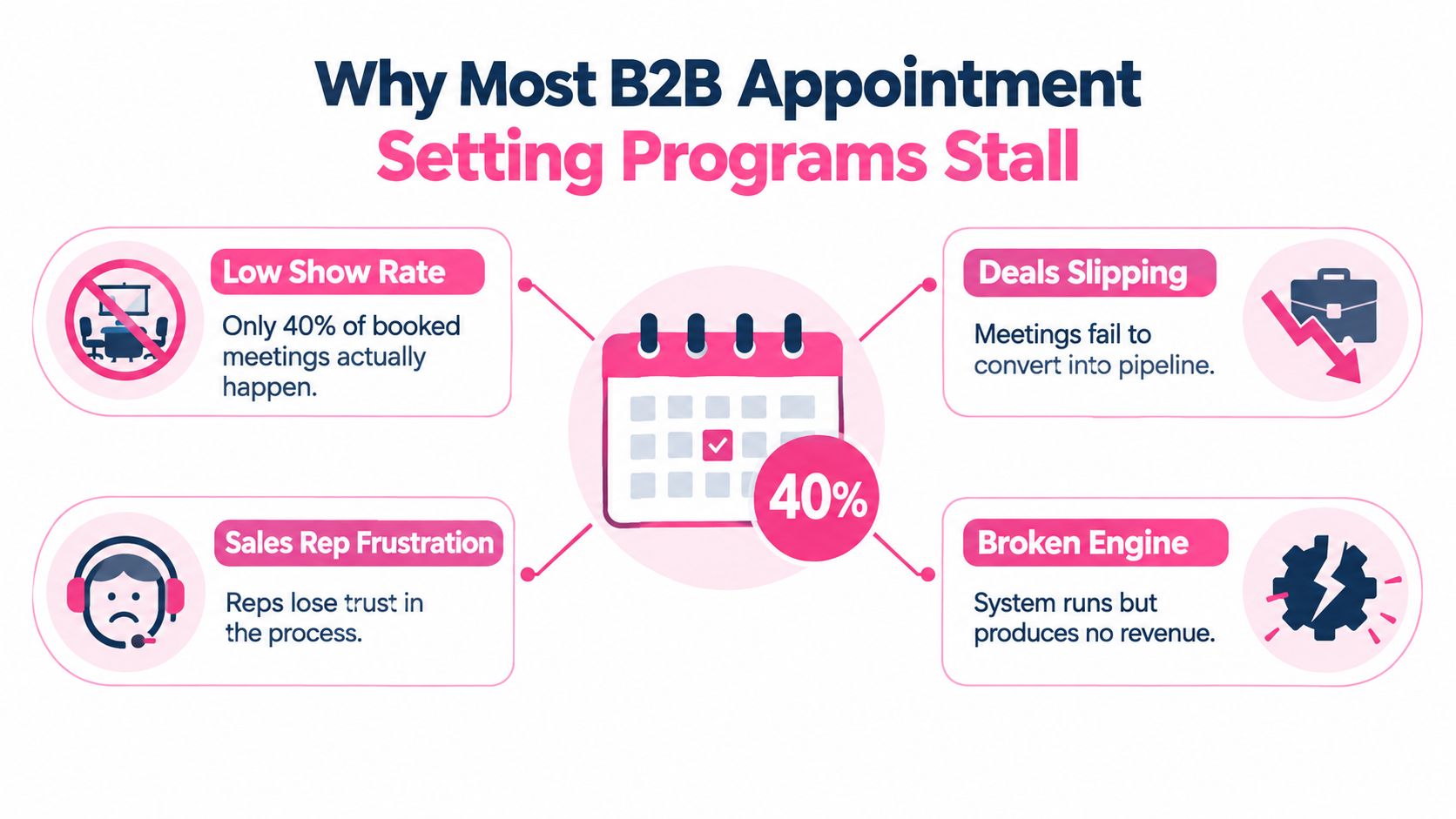
You can spot a broken appointment setting engine fast. The calendar has motion, the CRM has activity, and leadership feels like outreach is “working.” But the meetings don't turn into pipeline, reps start ignoring outbound-sourced calls, and everyone retreats back to inbound.
The real failure is qualification, not booking
Most programs die because they were built to produce calendar invites, not revenue-qualified conversations. Buyers are also harder to reach on superficial outreach now. Gartner's survey of 632 B2B buyers found that 61% preferred an overall rep-free buying experience, and 73% actively avoided suppliers that sent irrelevant outreach. Buyers still wanted seller help for contextual questions, but not for generic pitch noise, which means the setter's job is to earn the meeting, not merely extract it. Gartner's 2024 buyer research
That's why title-fit alone is a weak filter. A director title without a buying trigger is just a person with a mailbox. If your team books anyone who replies, you end up feeding closers meetings that feel productive for ten minutes and go nowhere after that.
Practical rule: if you can't name the trigger, the cost of inaction, and the next decision step, don't book the meeting.
Offer and ICP belong in the same document
A lot of teams separate the offer from the ideal customer profile. That's sloppy. In appointment setting for B2B, the offer has to fit the buyer role, the industry, and the trigger event at the same time.
Write one sentence that says the outcome you create, then attach it to a role and a specific change in their world. For example, “we help operations leaders reduce manual handoffs after a new system rollout” is usable. “We help businesses grow” is dead on arrival.
Use this filter before anything goes into the sequence:
- What changed for them? A new hire, a new system, a budget cycle, a churn spike, a compliance issue.
- Who owns the change? The role that feels the pain, not the role that looks good in a persona slide.
- What does inaction cost? Time, error rates, delays, missed revenue, internal friction.
- What does success look like? A clearer process, fewer errors, faster decisions, or a credible next step.
If you can't answer those four questions, your setter is guessing. And guessing is expensive when every reply has a finite amount of buyer attention attached to it.
For a useful example of how focused LinkedIn outreach gets framed around buyer context rather than spray-and-pray volume, RedactAI's LinkedIn sales guide is worth scanning. The point isn't the platform. It's the discipline.
Building Verified Lead Lists With AI-Enhanced Research
The best lists aren't the biggest ones. They're the ones where every contact can be defended. A hand-built list of fit accounts gives you cleaner replies, fewer dead ends, and a much better shot at reaching someone who matters.
AI should handle pattern recognition and enrichment. Humans should handle verification. That split keeps the team fast without letting junk data sneak into the sequence.
Research the trigger, then verify the person
Start with the buying trigger, not the contact list. Look for signals like hiring, funding, technology changes, role changes, or visible shifts in the account. Then use research tools to identify who owns the problem and who influences the purchase.
The verification step is essential. Scraped lists often contain stale addresses, bad titles, or contacts who left months ago. Before launch, confirm the current role, the email, the most recent relevant activity, and whether the person is even a sensible recipient for your message.
A practical research stack usually includes:
- LinkedIn operator searches to find the right titles and recent role changes.
- Intent and hiring signals to spot active change.
- Funding and budget announcements to catch timing.
- Technology installs or migrations to identify operational need.
- Manual review so the list reflects reality, not a database's last update.
A verified list of 800 well-fit contacts will usually beat a 10,000-name scrape because the sales team can actually work it without drowning in low-quality replies.
Keep the research standard simple. If a contact doesn't clear role authority, recent trigger, business problem, and likely channel preference, leave them out.
For list cleanup and verification workflow, use the internal tool at Ever Outbound's lead list cleaner. It's the kind of operational hygiene too many organizations skip until their reply quality falls apart.
Sequencing Email, LinkedIn, and Phone into One Cadence
A prospect does not care which tool you used first. They care whether each touch feels relevant, timed well, and worth answering. That is why the actual goal is fewer, better-fit meetings, not a calendar stuffed with weak calls that go nowhere.

Give each channel a job
Email carries the proof. LinkedIn builds familiarity and surfaces soft signals. Phone pressure-tests timing and lets you hear how the buyer defines the problem.
The cadence should feel coordinated, not repetitive. One touch sets context, the next one adds detail, and the handoff between channels should move the conversation forward. If your outreach sounds the same on every channel, you are training prospects to ignore you everywhere.
A cleaner pattern works better:
- Email opens with the trigger. Name the change you noticed and why it matters.
- LinkedIn creates presence. A profile view or connection request puts your name back in front of the buyer.
- Phone adds the test. A call checks timing, relevance, and whether the issue is real.
- Follow-up email references the event. Reply to the voicemail, call, or message that just happened.
- LinkedIn closes the loop. A short note or engagement step keeps the account warm without adding noise.
Warm accounts can move faster because attention already exists. Cold accounts need more spacing and tighter messaging. The point is the same in both cases, do not recycle the same opener across three channels and expect a better response.
For teams building the sequence itself, Ever Outbound's email sequence generator helps map the order before sending starts. That matters because channel order is not decoration. It shapes how the buyer reads the conversation and whether the meeting feels like a fit or just another interruption.
The video below is a good visual reminder that each touchpoint has to hand off context, not just repetition.
Deliverability and Domain Setup That Survives Gmail's Rules
If your messages miss the inbox, the whole appointment-setting process turns into theater. Deliverability is not a side task, it decides whether your offer ever gets judged on merit.
Treat sending infrastructure like revenue infrastructure
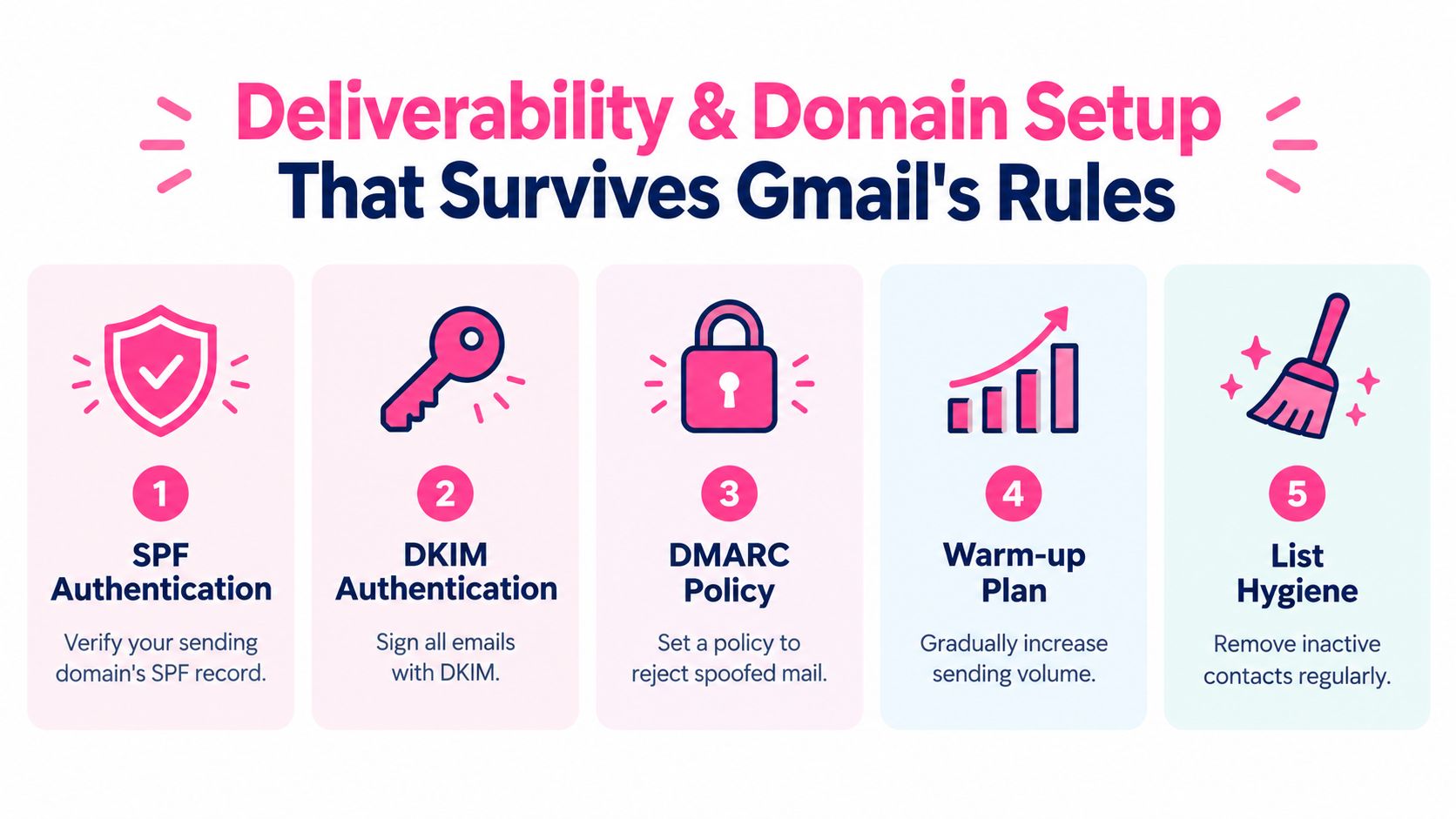
Google's sender rules set the floor. Gmail senders need SPF or DKIM authentication, valid forward and reverse DNS records, and a TLS connection. If you send roughly 5,000 or more messages per day to Gmail accounts, you also need SPF, DKIM, DMARC, an easy unsubscribe path, and alignment between the From domain and either SPF or DKIM. Google also wants spam rates below 0.3% and recommends staying below 0.1%. Google's Gmail sender rules
Treat that as an operating constraint, not a technical footnote. Use authenticated domains, cap daily volume, and build unsubscribe handling into the workflow so you are not forcing uninterested prospects to keep receiving mail. If you push scale without mailbox pooling and reputation monitoring, you are gambling with inbox placement.
The weekly checklist is simple, and it should be boring:
- Authentication checks. Confirm SPF, DKIM, and DMARC still pass.
- Volume discipline. Avoid sudden send spikes.
- Unsubscribe handling. Process opt-outs fast and suppress them everywhere.
- Reputation review. Watch for bounce creep, reply suppression, and mailbox issues.
- List hygiene. Remove contacts who are dead, irrelevant, or off-limits.
If the domain starts wobbling, stop sending harder. Fix the infrastructure first, then come back with a cleaner list and lower volume.
For a quick read on sending health, use the Ever Outbound deliverability checker before a campaign goes sideways. It is a practical diagnostic, not a vanity metric report, and it gives your team a fast signal on whether the domain is ready to support real meetings.
Human and AI Collaboration on Follow-Up and Reply Handling
A reply is not a finish line. It is the point where speed has to meet judgment, or the whole outbound program starts wasting good leads on bad messaging.
AI should do the repetitive work, tagging, summarizing, drafting first-pass replies, and pulling context fast. Humans should review claims, read the tone of the thread, and handle anything that touches a high-value account or a complicated buying process. That split keeps the team focused on meetings that can turn into revenue, not just inbox activity.
Buyers already check AI output against a person. Gartner reported that 45% of B2B buyers used generative AI during a recent purchase, while 69% preferred validating AI-generated insights with sales representatives. The same research found that 51% believed GenAI was more likely to provide misleading information, versus 49% who said the same about sales representatives. Gartner on buyers validating AI-generated insights
So the reply process needs hard guardrails:
- Approved claims only. Drafts do not get to invent product features, outcomes, or customer proof.
- Proof on hand. Any substantive statement needs support the setter can defend.
- Industry fit checks. A line that works in SaaS can miss badly in manufacturing.
- Privacy and disclosure review. Convenience does not replace permission.
- Escalation rules. Strange objections and strategic accounts go to a human.
If you want a concrete example of AI-assisted reply handling, PostSyncer AI reply shows how that workflow can be packaged without turning the inbox into a free-for-all.
Ever Outbound's AI setter follows the same operating logic, human control over context, automation for the repetitive motion. That is the standard worth using this week.
Qualification Criteria That Decide Which Replies Become Meetings
A reply isn't a meeting. It's a signal. The setter's job is to decide whether that signal is strong enough to justify a spot on the calendar, or better left in nurture until the timing changes.
Four questions beat one polite yes
The worst calendars are filled by people who looked good on paper and had no business reason to talk. That happens when the team checks only job title and company size, then books anything that sounds positive.
Use four checkpoint questions before you schedule anything:
- Is the role relevant? Does this person own the problem or heavily influence it?
- Is there a real business problem? Not curiosity, not “keeping tabs,” but actual pain or change.
- Is the timing real? Is there a current initiative, deadline, or trigger?
- Is there a plausible next step? Can the sales rep move the deal forward after the meeting?
Gartner's survey of 632 B2B buyers also found that buying groups reaching consensus were 2.5 times more likely to report that their purchase was high quality, and 74% of buyer teams demonstrated unhealthy conflict during the decision process. That's why one interested person rarely tells the whole story. If other stakeholders matter, identify them before the meeting, not after it. Gartner on buying-group consensus and conflict
Use a short qualification script that sounds like a human, not a form field:
- “What changed that makes this relevant now?”
- “Who else is involved if this moves forward?”
- “What happens if you do nothing this quarter?”
- “If we talk, what would you want to leave with?”
The setter shouldn't be trying to sound impressive. The setter should be trying to avoid a bad meeting.
Once a meeting is qualified, the handoff matters. Send a confirmation with the correct timezone, a clear agenda, and a note that explains why the conversation exists. Add a 24-hour reminder, include reschedule access, and pass the rep the context from the earlier thread so the first call doesn't start cold.
When to Outsource and How Pay-Per-Close Services Fit
In-house appointment setting makes sense when you already have enough volume to keep a rep productive and enough internal discipline to manage deliverability, copy, and reporting. Outsourcing makes sense when you want pipeline now and don't want to carry fixed SDR headcount before the motion is proven.
Compare the operating models honestly
An in-house SDR gives you control and product intimacy, but you own hiring, management, training, and churn. A traditional agency can move faster, but retainers often punish you even when the meetings are weak. A pay-per-close model aligns incentives better because the provider only earns when the client closes.
Ever Outbound Inc. works on a pay-per-close basis, so the economics are tied to closed deals rather than booked-call volume. That model fits agencies, consultants, SaaS teams, and other B2B service businesses that want outbound to behave like an outcome function, not a retainers-and-hopes function. The first two closes are commission-free, then the fee is 5% commission on closed deals from the effort.
| Option | Cost model | Time to first meetings | Incentive alignment | Best fit |
|---|---|---|---|---|
| In-house SDR | Salary plus management and tools | Depends on hiring and ramp | Good if managed tightly | Teams with enough volume and internal ops strength |
| Traditional agency | Monthly retainer | Often faster at launch | Mixed, because payment is not tied to closed revenue | Teams that want help but can absorb fixed spend |
| Pay-per-close | Commission on closed deals | Fast once targeting is set | Strong, because incentives track revenue | Teams that want lower upfront risk and outcome-based sourcing |
The internal page at Ever Outbound's pay-per-close model is the cleanest place to see how that structure works in practice.
If you're deciding this week, use one simple test. If you can manage inbox infrastructure, list quality, and performance tracking in-house, build internally. If you'd rather keep the team lean and want qualified calls booked without retainer risk, a pay-per-close provider is the cleaner move.
If you want a done-for-you outbound system that focuses on qualified meetings instead of vanity booking volume, Ever Outbound Inc. handles research, messaging, deliverability, follow-up, and calendar booking on a pay-per-close basis. Visit Ever Outbound Inc. if you want outbound built around revenue, not just calendar activity.