November 5, 2026
Artificial Intelligence Sales Assistant Explained for 2026
An artificial intelligence sales assistant is software that handles repetitive selling work such as research, drafting, reply triage and meeting booking, while people keep judgment, claims and commitments. Say it's 8:40 on a Tuesday and a prospect replied at 2:13 a.m. with, "Interesting, but how is this different from what we already use?" Nobody on your team was awake. By the time your setter opens the inbox, that warm little spark has cooled into three other vendors, a full calendar, and a polite ghosting.
That's the gap this new teammate is meant to fill. Not by replacing the seller. By moving the boring, urgent, easy to fumble work to a system that doesn't sleep, doesn't forget a follow up, and doesn't get bored sorting out of office replies for the fortieth time. The trick is knowing which work moves, who checks it, and whether the shift shows up in closed revenue.
Table of Contents
- What an AI Sales Assistant Really Is
- Common Features and Integration Patterns
- Which Sales Tasks It Takes Off Your Plate
- Where Human Sellers Must Take Back Control
- Deliverability Rules That Cap Your Automation
- Measure the Real Cost and Run a Pilot
What an AI Sales Assistant Really Is
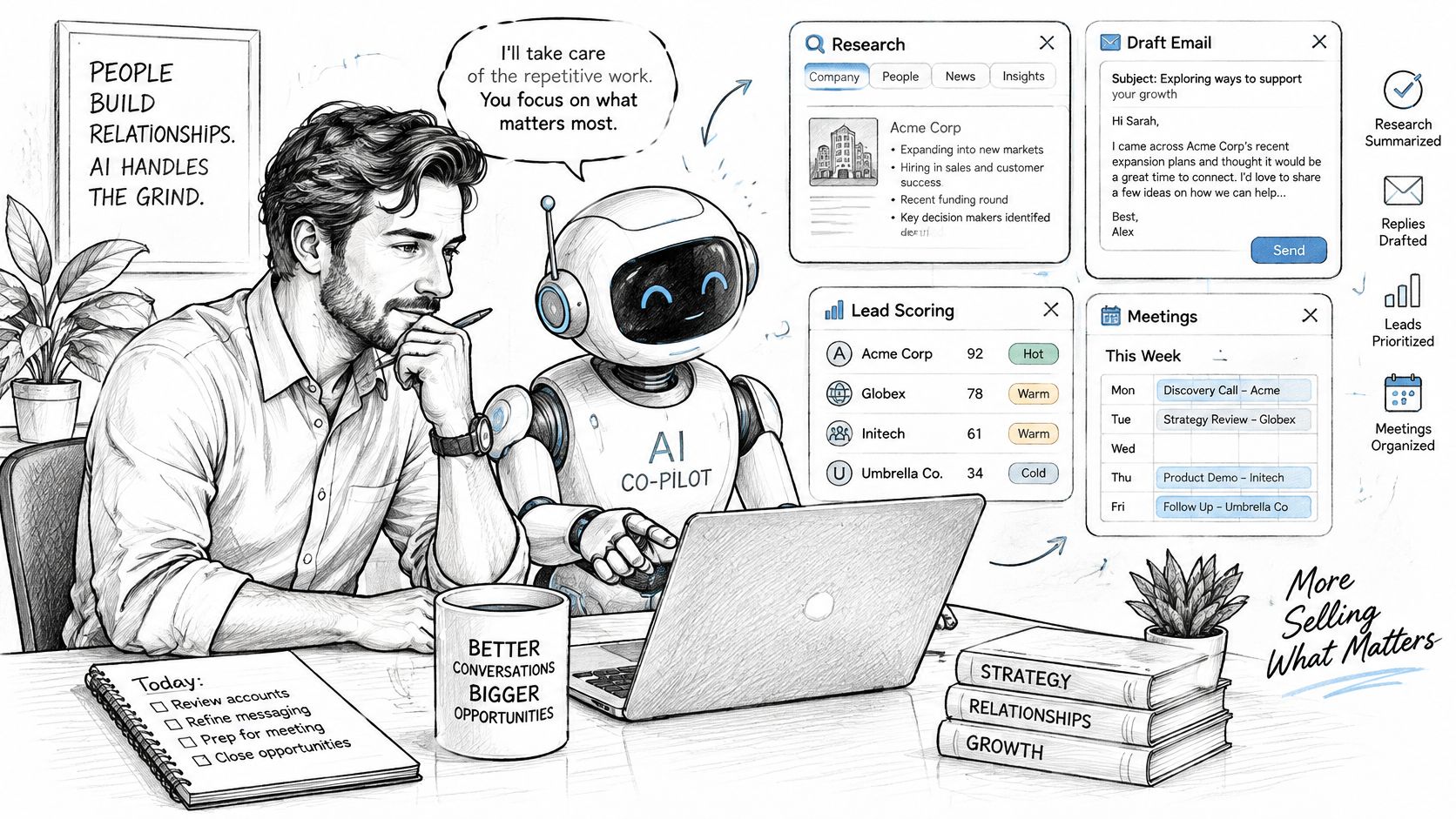
Think of an artificial intelligence sales assistant like a sous-chef in a busy kitchen. The sous-chef preps every ingredient, sorts the incoming orders, and keeps the pass tidy. The head chef still tastes the dish and decides what leaves the kitchen. Your assistant preps. Your seller decides.
The AI part means the software reads, writes, classifies, and predicts. It uses language models to draft and summarize, and statistical models to score and rank. It does that inside a sales workflow, not as a clever standalone tool you paste text into between calls.
Three tools readers often blur together
- A CRM stores and displays records. It tells you who the contact is, what stage they're in, and what happened last Tuesday.
- A chatbot answers questions on a website. It's reactive. A visitor asks, it replies, the conversation ends there.
- An assistant performs tasks toward a goal. It might take a prospect from a first reply through qualification to a booked call, proposing the next action at each step.
Meeting tools sit near this category too, which is why a closer look at Avoma from Docket is useful if you're comparing where meeting intelligence ends and active task execution begins.
Adoption isn't hypothetical anymore. Salesforce's 2026 State of Sales announcement reported that 87% of sales organizations used some form of AI for activities such as prospecting, forecasting, lead scoring, or email drafting, in a survey of 4,050 sales professionals conducted during August and September 2025. The same research found 54% of sellers had used AI agents, and respondents estimated fully implemented agents could reduce prospect research time by 34% and email drafting time by 36%. Those are expectations from sellers, not guarantees, but they explain why the question has shifted from whether to try it to how to set it up well. If you want to see how a managed version of that workflow fits together end to end, our breakdown of how the process works maps the handoffs.
Practical rule: If it only stores or shows data, it's a CRM. If it drafts, decides a next action, and books something, it's an assistant.
Common Features and Integration Patterns
Strip away the branding and most assistants share the same working parts. What separates a useful setup from an expensive distraction is how much freedom you give each part.
The features that keep showing up
- Account research. It compiles firmographic details and intent signals into a short summary a seller can read in a minute.
- Scoring. It ranks accounts by recent signals so your team works the warmest names first.
- A drafting engine. It produces message variants tied to account context, not one generic blast with a first name swapped in.
- Reply classification. It sorts replies into interested, objection, out-of-office, and unsubscribe, so humans only touch the ones that need thought.
- Calendar booking. Once a fit check passes, it proposes times and writes the meeting into the calendar.
- Sequence timing. It sends reminders and nudges on schedule, including outside office hours.
- An activity log. It records which system wrote each message and who approved it, which you'll want the first time something odd goes out.
Three ways the work gets shared
AI-led means the assistant runs a low risk task end to end. Sorting out of office replies and rescheduling them for the return date is a perfect candidate. Nobody needs to approve that.
Shared means the assistant prepares and a person approves. Say it builds a qualification summary from a thread. A setter reads it, checks it against what the prospect said, and only then confirms the booking. Many teams start here, and most should stay here longer than they planned.
Human-led means the person owns the task and the assistant only supplies context. Pricing and security questions live here. The assistant can pull the relevant account history into view, but the seller writes the answer.
A task earns a move from shared to AI-led only after its correction rate stays low for several weeks. If your team keeps rewriting the drafts, the task isn't ready, no matter what the demo promised.
Before you buy anything, verify three integration points: CRM read and write access, a mailbox connection, and an export of the audit log. Then sanity check the sending math behind it with an outbound volume planner, because a great assistant attached to unrealistic volume plans just creates faster disappointment.
Which Sales Tasks It Takes Off Your Plate
| Sales Task | What the AI Does | What a Human Owns |
|---|---|---|
| Prospect research | Pulls firmographic and intent signals into short account summaries | Confirms fit and chooses which accounts to pursue |
| Lead scoring | Ranks accounts by signal strength | Sets the scoring rules and reviews the misses |
| Email drafting | Writes first-draft variants of each message | Approves claims, pricing language and tone |
| Reply triage | Sorts replies into interested, objection, out-of-office and unsubscribe | Handles objections and any pricing question |
| Meeting booking | Proposes times and writes the booking into the calendar | Confirms qualification before the call happens |
| Follow-up timing | Sends reminders and nudges on schedule | Decides when to stop and when to change approach |
Read that table in deal order and a pattern emerges. The assistant is strongest where the work is high volume, pattern based, and reversible. The human keeps everything where a wrong call costs trust or money.
Prospect research comes first because it's where sellers often lose their mornings. The assistant pulls the signals into a tidy summary. A human still confirms fit, because a company can match every firmographic box and still be a terrible prospect for reasons no dataset captures, like a recent leadership change your team heard about through a customer.
Lead scoring follows the same logic. The ranking is mechanical once the rules exist. Setting those rules, and reviewing the accounts the model ranked low that later bought anyway, is human work. Those misses are where your scoring model learns humility.
Where the drafting gets interesting
Email drafting is where teams feel the speed first. Variants appear in seconds. But speed is exactly why a person approves claims, pricing language, and tone before anything sends. If you're building sequences for the assistant to work from, a structured email sequence generator helps you lock the approved structure in before the AI starts improvising around it. And if you're comparing the wider tool market first, this roundup of AI sales automation tools from AY Automate is a handy map of what's out there.
Reply triage is the unglamorous hero. Say 200 replies land on a Monday. The assistant files the out of office notes, honors the unsubscribes, and surfaces the handful of interested prospects at the top. Your setter spends the morning on objections and pricing questions instead of inbox archaeology.
Meeting booking then becomes simple plumbing. Times proposed, calendar written, confirmation sent. The human gate sits just before it: confirming the prospect is qualified, so your closer doesn't open a call with someone who thought they were getting a product demo for a different company.
Follow-up timing closes the loop. Reminders go out on schedule, every time, without relying on anyone's sticky notes. Deciding when persistence turns into pestering, though, stays human.
Start with tasks that are repetitive and low risk. Never automate a task whose failure would expose the company to a false claim.
Take your team's actual weekly task list and mark each item AI-led, human-led, or shared against this table. That one exercise tells you more about your readiness than any vendor demo.
Where Human Sellers Must Take Back Control
Say a prospect asks whether your price includes onboarding for two extra seats. An AI assistant might answer from an outdated document or mistake a possibility for a promise. The prospect needs a clear answer, and the account owner needs to stand behind it.
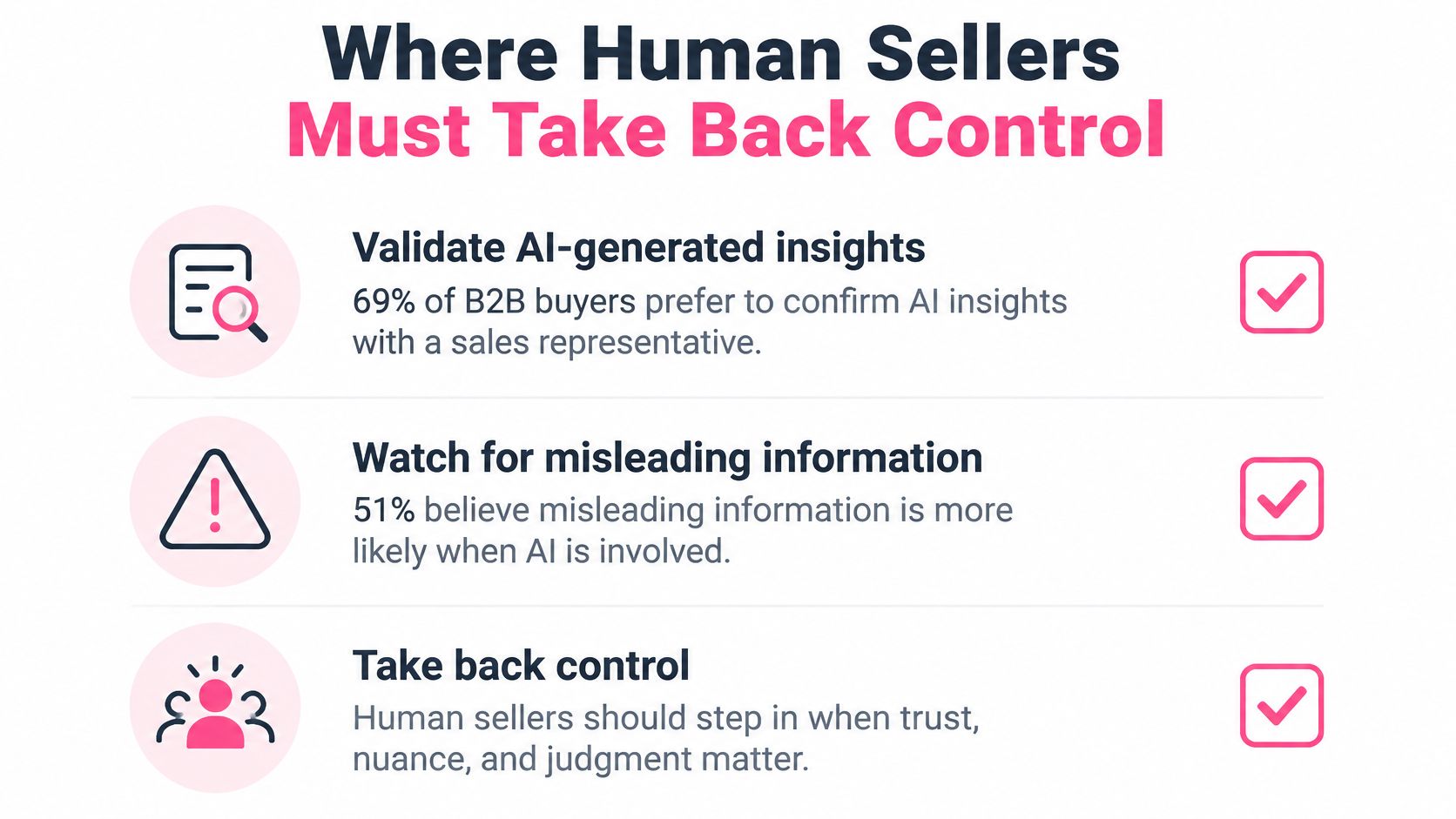
Gartner's 2026 survey announcement reported that 69% of B2B buyers prefer to validate AI-generated insights with a sales representative, while 51% believe misleading information is more likely to come from generative AI than from a sales representative. Put a named human owner at the handoff, especially when the answer could shape a buying decision.
The escalation checklist
- Pricing or contract questions. The account owner checks what the offer includes and sends the answer. The assistant can flag the question, not make a commitment.
- Security, ROI, or compliance claims. A subject-matter owner verifies the claim against approved information. The assistant should not invent certifications or promise returns.
- Unusual technical requirements. A technical lead reviews requests that fall outside standard answers and decides what the team can support.
- Objections that need judgment. If a prospect says, “We just signed with a competitor,” the sales rep decides whether to ask about timing or close the conversation. A canned rebuttal can make the exchange worse.
- Low-confidence replies. The assistant flags uncertainty; a named teammate reads the message and chooses the next response.
This short walkthrough shows what a supervised handoff looks like in practice.
Before a meeting is booked, assign a person to check that the qualification summary matches the prospect's stated need and that the thread contains no unsupported claims. Keep a simple record of who drafted and approved important messages, then review failed handoffs to see where the routing broke down.
Every Ever Outbound campaign is run by real people, including researchers, copywriters, and GTM engineers, who use AI as a multiplier, not a replacement. The AI Appointment Setter can work without continuous human oversight, so it may produce errors or unintended outputs; no specific outcomes are guaranteed.
The labor shifts; it does not disappear. The assistant handles repetitive routing and follow-up, while people own judgment, claims, objections, and commitments. If a mistake would be expensive to undo, name the human who makes the call.
Deliverability Rules That Cap Your Automation
Say your assistant is brilliant. It personalizes beautifully and replies in seconds. None of that matters if its emails land in spam, because a fast sender with a burned domain is just a faster way to talk to nobody.
Google's Gmail sender requirements set the guardrails. Beginning in February 2024, senders delivering 5,000 or more messages per day to Gmail accounts must authenticate outgoing email, avoid unsolicited messages, and provide an easy unsubscribe mechanism.
| Requirement | Threshold or Rule | What It Means for Outbound |
|---|---|---|
| Bulk sender trigger | 5,000 or more messages per day to Gmail accounts | Full bulk-sender rules apply once volume crosses this line |
| Authentication | SPF, DKIM and DMARC | Must be in place before any scaling begins |
| DMARC alignment | From domain matches the SPF or DKIM domain | Check alignment on every sending domain |
| Unsubscribe mechanism | Easy to use | Required in every message, including AI-written follow-ups |
| Target spam rate | Below 0.1% | The level to hold weekly across all mailboxes |
| Danger line | 0.3% or higher | Bulk senders above this level can lose access to mitigation measures |
Walk the table top to bottom and it reads like a preflight checklist. The 5,000 message trigger decides when the full rulebook applies. SPF, DKIM, and DMARC are the identity papers your mail carries, and DMARC alignment means the From domain must match the SPF or DKIM domain on every sending domain, not just your main one. The unsubscribe mechanism has to be easy to use in every message, including the AI written follow ups your team may never personally read.
The two spam numbers deserve wall space in your office. Hold the user reported spam rate below 0.1% as your weekly target. At 0.3% or higher, bulk senders can lose access to mitigation measures, which is a polite way of saying recovery gets much harder.
The weekly routine that keeps you sending
- Verify authentication before scaling. Every domain, every time, before volume goes up.
- Cap daily volume per mailbox and spread sending across domains instead of hammering one.
- Watch the spam rate weekly. Before a new sequence launches, test your email deliverability with Mailwarm's checker, and run ongoing spot checks with an email deliverability checker.
- Pause a sequence the moment it approaches the danger line. Sentiment won't save a domain. Stopping early might.
Automated personalization makes raising volume feel free. It isn't. Set the rate limits in advance and let the sending infrastructure enforce them, rather than trusting an enthusiastic operator on a Friday afternoon.
Measure the Real Cost and Run a Pilot
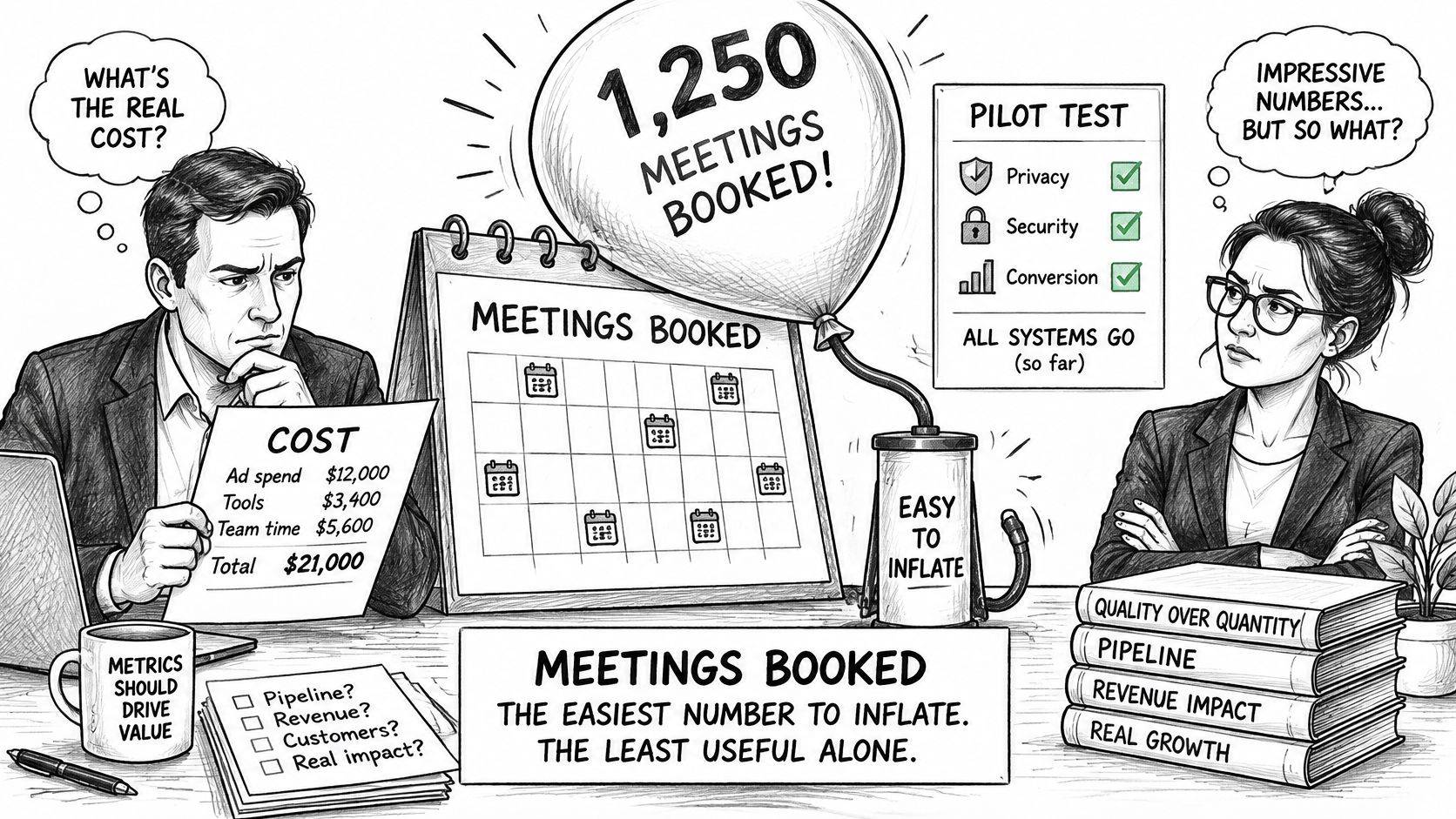
Meetings booked is the easiest number to inflate and the least useful one to judge alone. An assistant can fill a calendar with the curious, the confused, and the chronically polite. Your closers pay for that vanity metric in wasted calls.
The honest cost picture is wider. Bain's executive survey on AI moving from pilots to production reported that concerns about data security and privacy increased over the previous year, even as concerns about expertise, accuracy, ROI, and data readiness gradually declined. Privacy belongs in your cost model, not in a footnote. And remember the central trade: automation shifts labor rather than removing it. Time saved on drafting can reappear as time spent checking personalization, fixing firmographic data, or repairing trust after one inappropriate message.
| Metric | What It Reveals | Watch Out For |
|---|---|---|
| Qualified-meeting rate | Meetings that pass a fit review as a share of meetings booked | Raw bookings inflate the number, so score fit first |
| Human review time | Minutes spent checking each AI draft or summary | Should fall as the scoring rubric and prompts improve |
| Correction rate | Share of AI outputs edited before sending | Rising edits point to weak data or unclear instructions |
| Unsupported claim count | Statements about ROI, security or pricing with no source behind them | Should stay at zero, and every case needs a root-cause note |
| Opt-out rate | Recipients who unsubscribe or complain | A slow rise can predict deliverability trouble ahead |
| Revenue per accepted meeting | Closed revenue divided by meetings the team accepted | Slowest to read, but the most honest comparison of workflows |
Run the pilot in four steps
- Pick one lead segment and one offer small enough to test cleanly. One audience, one promise, no exceptions sneaking in mid test.
- Split it between an AI-assisted workflow and a human-led control, using the same list, message, and qualification rubric. If the inputs differ, the results tell you nothing.
- Apply the escalation checklist and record every override. Each time a human grabs the wheel, log why. That log becomes your improvement list.
- Set targets before the test starts, then review closed revenue per accepted meeting after a full sales cycle. Judging at two weeks mostly measures novelty. A cold email ROI calculator helps you model what those targets need to look like before you commit.
Timing matters too. Gartner's buyer research reported that only 2% of B2B buyers begin the purchase process with no vendors in mind, so aim your pilot at buyers before they're fully in market, while the shortlist is still forming.
Judge the assistant the way you'd judge a new hire: not by how busy it looks, but by what its work turns into.
Hold any outside provider to these same six metrics. For reference, at Ever Outbound we're pay-per-close, and our Scale + AI Setter plan costs $497/mo plus a 5% pay-per-close fee on closed deals, including the AI Appointment Setter for automatic reply qualification, hands-off booking into your calendar, and 24/7 faster speed-to-lead. Our AI setter nurtures interested prospects and books qualified calls directly onto the client's calendar 24/7, instantly. Whether you build or buy, the scoreboard shouldn't change.
If you'd rather skip the months of building, testing, and domain babysitting, Ever Outbound Inc. runs the whole system for you, with human researchers, copywriters, and setters using AI as a multiplier to book qualified calls onto your calendar. We're pay-per-close, so you only pay a commission when a deal from our outreach closes, and your first two closes are commission free. Visit us, see how the handoffs work, and decide whether your next teammate should be one you hire or one we run for you.