October 12, 2026
Email Deliverability Service: Fix Inbox Placement in 2026

A global benchmark showed 87/100 email health scores but only 66% inbox placement. That means technical deliverability and visible inbox delivery are not the same thing.
Most email deliverability advice still starts with the same checklist: authenticate the domain, warm up the mailboxes, keep bounce rates low, and send. Those controls matter, but they don't answer the question that affects pipeline: did the prospect see the message in a primary mailbox?
A receiving server can accept an email while a mailbox provider sends it to spam, quarantine, or another folder your prospect rarely checks. In B2B outbound, that invisible gap is where clean-looking campaigns lose opportunities.
Table of Contents
- Why Delivered Does Not Mean Seen
- How a Deliverability Service Works
- The Sender Reputation Feedback Loop
- Managed Service Versus In-House Operations
- Real Scenarios Where Deliverability Decides Outcomes
- How to Choose and Evaluate a Deliverability Partner
- Common Pitfalls and How to Avoid Them
Why Delivered Does Not Mean Seen
“Delivered” describes a handoff, not visibility. In many reporting systems, it means the recipient's server accepted the message. Inbox placement asks the operational question that affects pipeline: did the message reach the inbox the recipient really reads, or did it disappear into spam, quarantine, or another folder?
Validity's worldwide benchmark reported an 84.8% inbox-placement rate, with 6.1% of messages placed in spam and 9.1% classified as missing during its previous reporting period (Validity's 2025 benchmark report). Under that framework, 15.2% of messages did not reach the intended inbox. A campaign can therefore show successful delivery while a meaningful share of its reachable audience never sees the message.
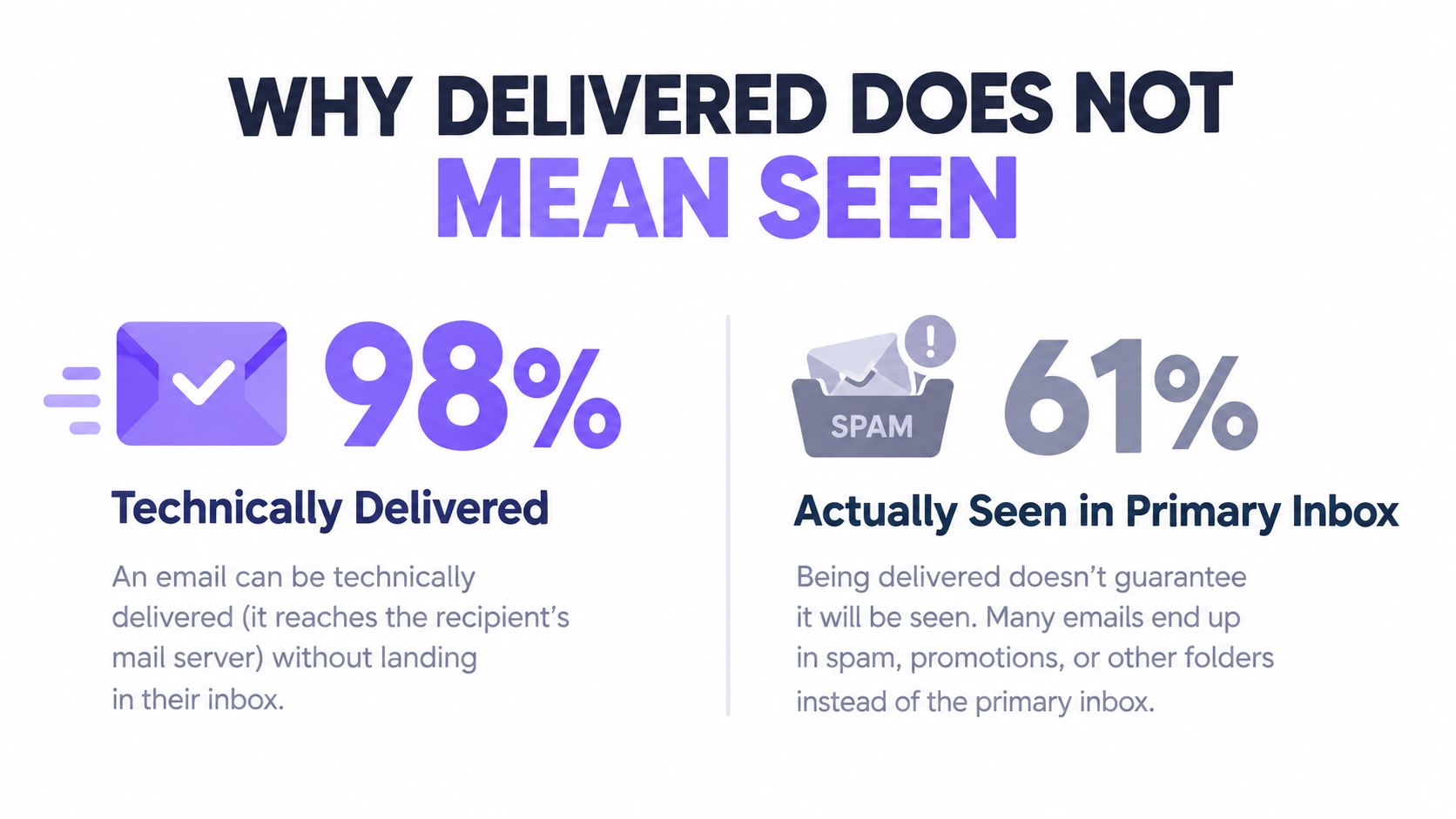
The same benchmark reported 75.6% inbox placement at Microsoft, so nearly one in four messages failed to reach the inbox there, according to the same report. Provider differences matter. A sender can maintain a low hard-bounce rate while losing visibility at one mailbox provider that represents a large part of the target audience.
Provider-level placement: the report your sending platform does not give you
A sending platform may show accepted messages, bounces, opens, clicks, and replies. Those metrics help evaluate a campaign, but they do not identify where messages landed by provider. A falling open rate can reflect weak messaging, poor timing, inaccurate targeting, spam placement, or several problems at once.
The useful question is:
Where did each message land by mailbox provider, domain, campaign, and sending identity?
That view changes the operating decision. Deliverability becomes an ongoing probability influenced by authentication, domain history, complaint behavior, list quality, volume changes, and recipient engagement. A technically healthy domain can still lose visibility if recipients ignore or report its messages.
Email volume adds pressure. The Radicati Group estimated that nearly 2.6 billion people used email in 2015, with more than 205 billion messages sent and received each day. Its forecast projected more than 2.9 billion users and over 246 billion daily messages by the end of 2019, with approximately 3% average annual growth in message volume during that period (Radicati Group email statistics). Separate current estimates put daily email volume at 361.6 billion in 2024, compared with 281.1 billion in 2018, and the number of email users at about 4.48 billion in 2024.
More messages give mailbox providers more behavioral data to evaluate. Sending less or buying more domains does not automatically solve the problem. Teams need to measure how providers and recipients handle the mail already being sent.
A practical pre-send check is the cold email grader. It cannot replace provider-specific placement testing, but it can identify obvious weaknesses before launch. A technically valid message still needs a credible sender identity, a clean audience, controlled volume, and a reason for recipients to engage.
How a Deliverability Service Works
A competent email deliverability service is not a mysterious “warmup engine.” It coordinates authentication, controlled sending, and monitoring. Each part supports the others: authentication establishes identity, pacing limits sudden reputation changes, and monitoring shows whether messages reach the inbox or disappear into spam.
Authentication creates a trustworthy identity
Google requires senders to configure at least SPF or DKIM. Bulk senders must use SPF, DKIM, and DMARC, while direct-to-Gmail messages need the visible From domain to align with either the SPF or DKIM organizational domain (Google sender guidelines).
That alignment connects the identity recipients see with the infrastructure authorized to send. Without it, a message may look legitimate to a person while presenting unclear signals to the receiving provider.
A service should publish narrowly scoped SPF records, sign every message with DKIM, and establish DMARC reporting before moving toward enforcement. SPF also imposes a practical constraint. Providers generally allow no more than 10 DNS lookups during SPF evaluation. Adding vendors without consolidating records can therefore cause authentication failures, as noted in the same Google sender guidelines.
Authentication gives mailbox providers a clearer identity. It does not make an unwanted campaign acceptable.
Warmup controls the pace of reputation building
New or recently unused sending identities need a gradual volume ramp. Microsoft notes that a new IP may require a couple of weeks to ramp, depending on volume, list accuracy, and complaint levels (Microsoft Outlook sender support).
A controlled ramp reduces abrupt changes that make a sender appear inconsistent. Professional operations adjust capacity by domain, mailbox provider, engagement quality, and recent complaint or bounce behavior. Domain pools and mailbox rotation can distribute operational load, but using them to conceal poor targeting only spreads the problem.
Warmup without a real audience produces weak evidence. Artificial activity can move a dashboard without showing that prospects want the messages. The practical causes of outbound email hitting spam usually involve the combined effect of identity, behavior, content, and recipient response rather than one isolated trigger.
Monitoring turns signals into decisions
Monitoring should separate accepted mail, inbox placement, spam placement, blocks, deferrals, missing mail, bounces, and complaints by provider and campaign. It should also record what changed before placement changed. “Delivered” alone cannot confirm visibility.
A useful workflow is:
- Verify identity: Check SPF, DKIM, DMARC, and From-domain alignment.
- Set capacity: Increase sending gradually and pause expansion when complaints or bounces rise.
- Suppress risk: Remove hard bounces, complainers, invalid addresses, role accounts, and persistently disengaged recipients.
- Compare providers: Separate Gmail, Microsoft, Yahoo, and other mailbox ecosystems instead of relying on one blended score.
- Act on evidence: Change targeting, cadence, message variants, or sending identity based on placement data.
An email deliverability checker can provide one diagnostic input. A service still needs an operator who can interpret the result, identify the cause, and change the campaign.
The Sender Reputation Feedback Loop
Sender reputation is not a permanent label attached to a domain. It changes as mailbox providers assess recipient complaints, list accuracy, authentication, IP and domain history, and sending behavior together. A message can pass technical checks yet lose inbox visibility when recipient response deteriorates.
Microsoft considers the sending IP, domain, authentication, list accuracy, complaint rates, and content when filtering Outlook.com mail. Its sender guidance identifies junk-mail complaints as a major reputation risk. Google's published guidance sets a preferred spam rate below 0.1% and warns against reaching 0.3% or higher.

Those boundaries are easy to underestimate in B2B outreach. One complaint among 1,000 delivered messages equals 0.1%, and three complaints equals 0.3%. A small campaign can therefore cross a provider's operating boundary with only a few negative reports.
The correct response is immediate suppression, not opening another mailbox. Continuing to email a complainant creates another opportunity for a negative signal. Apply the same discipline to hard bounces, invalid recipients, and addresses that repeatedly fail to engage.
Why rotation doesn't repair reputation
Mailbox rotation can distribute volume, but it cannot repair poor targeting or weak recipient response. Sending the same message to the same low-quality audience across more mailboxes multiplies the exposure.
A deliverability service should separate reporting by:
- Mailbox provider: Gmail and Microsoft may show materially different placement.
- Sending identity: Domain and mailbox history can expose localized damage.
- Campaign: One offer or audience may generate more complaints.
- Message variant: Subject lines and copy can change recipient response.
- Recipient segment: A stale segment can weaken otherwise healthy sending.
Recovery requires patience. Provider guidance describes gradual ramping for a new IP, while Google's published thresholds refer to sustained compliance below 0.3% for seven consecutive days as part of mitigation eligibility. An instant reputation reset is not a dependable operating promise.
Yahoo's published bulk-sender guidance likewise recommends DKIM authentication and complaint rates below 0.3%. Teams should record suppression rules, escalation owners, volume controls, and provider observations in a central deliverability documentation hub, so operators can connect reputation changes with the decisions that preceded them.
Managed Service Versus In-House Operations
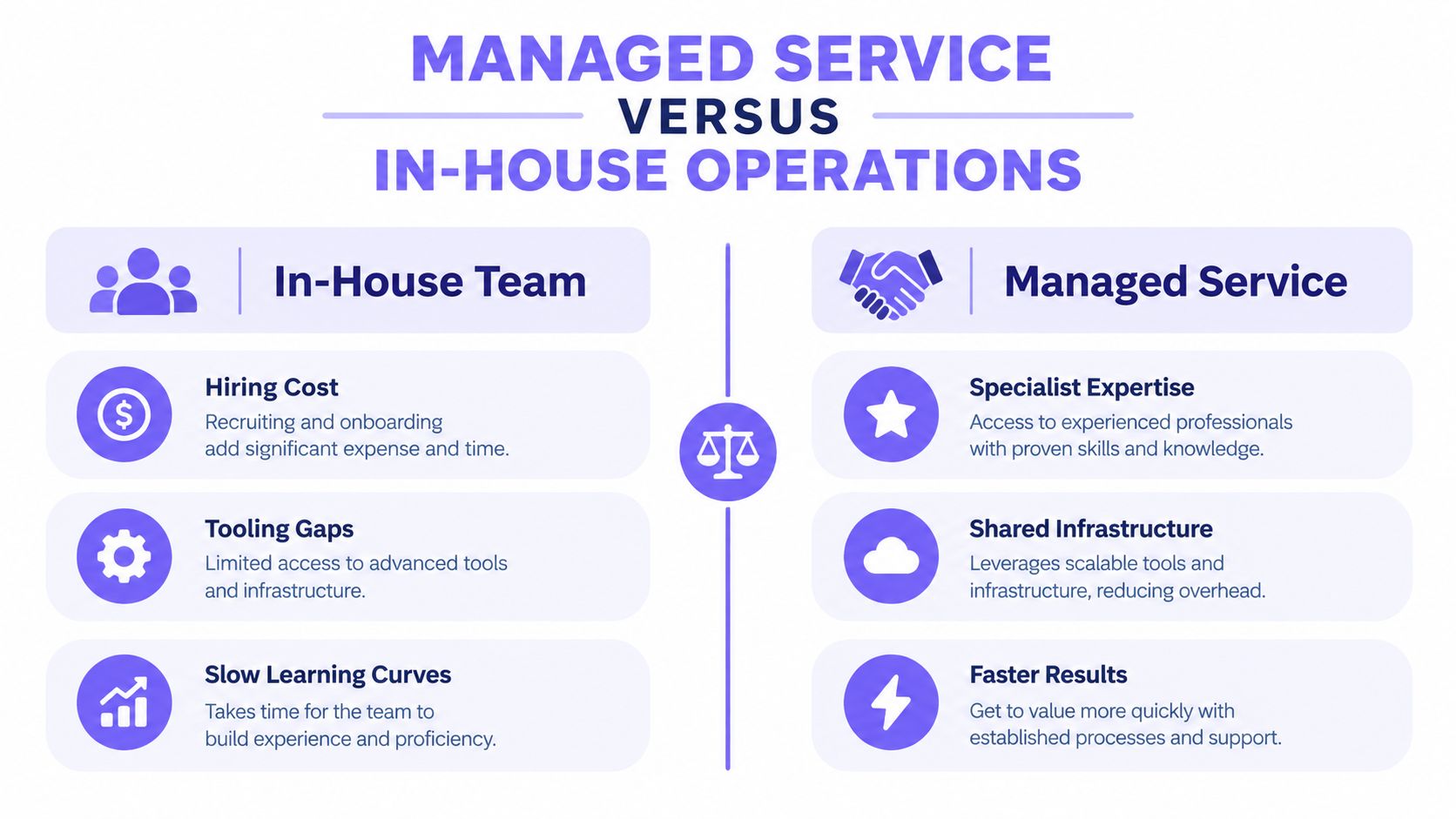
The managed-versus-in-house decision isn't merely a question of monthly spend. It asks whether your team wants to own a specialized operating function that touches DNS, sending infrastructure, list quality, copy, provider behavior, reporting, and recovery.
An internal team can build strong capability. It may also need people who understand authentication, mailbox-provider filtering, bounce classification, complaint handling, domain segmentation, and gradual volume control. The work continues after setup, because each campaign changes the evidence providers use to evaluate the sender.
Where internal ownership works well
In-house operations make sense when a company already has technical ownership, a stable sending program, and enough campaign volume to justify dedicated attention. The team retains direct control over audience selection, infrastructure, message changes, and escalation decisions.
The trade-off is distraction. A revenue team that treats deliverability as “someone's spare-time task” often notices trouble only after replies decline. At that point, the team must investigate historical sending behavior while also trying to maintain pipeline.
What a managed service absorbs
A managed provider consolidates setup, warmup, monitoring, suppression, and operational reporting. That can reduce handoffs, particularly when multiple domains, mailboxes, campaigns, or client programs share one outbound function.
The provider still needs accurate inputs. It can't make an unwanted offer relevant, turn a purchased list into a healthy audience, or make complaints harmless. A service gives you operating capacity and specialized attention, not immunity from bad targeting.
| Decision area | In-house operation | Managed service |
|---|---|---|
| Expertise | Built through hiring and internal practice | Available through a specialist team |
| Infrastructure | Owned and maintained internally | Operated within a managed sending model |
| Response time | Depends on internal ownership and workload | Usually tied to defined monitoring and escalation |
| Control | Maximum direct control | Shared control with clearer operating boundaries |
| Accountability | Internal team owns outcomes | Provider owns agreed operational tasks, while the client owns offer and audience quality |
The right choice depends on the cost of delay, the complexity of the sending environment, and whether someone internally can act on provider-level data. A managed model may be wasteful for a simple, stable program with strong internal expertise. It may be sensible when inbox visibility is already affecting sales activity.
Teams evaluating the operating model can review how Ever Outbound works alongside other providers, then ask exactly which infrastructure, monitoring, and campaign responsibilities remain on the client side.
Real Scenarios Where Deliverability Decides Outcomes
A campaign can look healthy in a sending dashboard while failing in the mailbox. The following scenarios show how that happens, without treating a clean bounce rate as proof of commercial reach.
A SaaS team with clean bounces and weak visibility
A B2B SaaS team sends a prospecting sequence and sees few hard bounces. The sales team assumes the list is healthy, but replies fall and the campaign dashboard shows only technical acceptance.
A provider-level test reveals that placement differs across mailbox ecosystems. Messages accepted by the receiving server aren't consistently appearing in the primary inbox. The team separates placement from delivery, reviews complaint and engagement signals, suppresses risky recipients, and reduces pressure on the affected sending identity.
The important diagnosis isn't “the copy failed.” The team first determines whether prospects had a fair chance to see the copy.
An agency with reputation decay
An agency notices that several client campaigns have become less reliable. It responds by rotating mailboxes, but the same audience and message patterns continue across the new identities.
The agency then audits authentication alignment, checks complaint behavior, and removes historical complainers and invalid recipients. It also separates client domains and campaign reporting so one account's weak engagement doesn't obscure another's performance.
That intervention addresses the feedback loop instead of changing the dashboard surface. Rotation can be useful for capacity management, but it isn't a substitute for suppression and identity control.
A consulting firm changing volume too quickly
A consulting firm has a working outbound motion and decides to increase capacity sharply. The team adds sending identities and raises volume before collecting enough evidence from the initial ramp.
Deferrals and placement problems appear unevenly across providers. The managed operation pauses expansion, compares provider-level outcomes, adjusts cadence, and lets the healthier segments establish a more credible history before increasing capacity again.
The lesson is simple: scaling isn't just adding mailboxes. It means increasing volume without creating a sudden behavioral change that providers interpret negatively.
Teams that want to inspect documented outcomes can review Ever Outbound results, but they should still ask how each result was measured, which messages counted as delivered, and whether inbox placement was tested separately.
How to Choose and Evaluate a Deliverability Partner
Start with the reporting screen, not the sales promise. Ask the provider to show how it distinguishes server acceptance, inbox placement, spam placement, blocking, deferral, and missing mail.
A credible evaluation should answer these questions:
- Provider detail: Can the service separate Gmail, Microsoft, Yahoo, and other mailbox results?
- Identity control: Does it verify SPF, DKIM, DMARC, and visible From-domain alignment?
- Suppression rules: Are complainers and hard bounces suppressed immediately?
- Volume governance: Who controls ramps, pauses, mailbox limits, and domain-level capacity?
- Recovery process: What happens after complaint rates rise or placement falls?
- Ownership: Which tasks belong to the provider, and which remain with your team?
- Evidence: Can the provider explain how it measures inbox visibility rather than only delivery?
Be skeptical of a generic sender score with no provider context. A blended score can conceal a serious Microsoft problem behind stronger performance elsewhere. Also question promises of guaranteed inbox placement. Providers influence infrastructure and operating behavior, but they don't control recipient actions or mailbox-provider decisions.
Red flags that deserve a hard no
A vendor that recommends adding domains before examining list quality is optimizing around the symptom. A provider that rotates mailboxes without explaining suppression, authentication alignment, and complaint handling is doing the same.
Avoid black-box warmup products that report activity but can't connect that activity to real placement. Ask whether the engagement is genuine, whether the service measures primary-inbox visibility, and what action follows a negative signal.
The strongest partner will show its operating assumptions. It will explain what it monitors, how quickly it suppresses risk, when it pauses sending, and how it defines recovery. If the answers sound vague, the service will probably be vague when your campaign starts losing visibility.
Common Pitfalls and How to Avoid Them
Deliverability failures rarely start with one obvious error. They usually come from shortcuts that make a campaign look healthy while hiding declining inbox visibility.
Treating one domain as the whole operation
A single sending domain concentrates history, volume, and risk. One poorly received campaign can affect unrelated outreach sent from the same identity. Separate sending streams where the business case supports it, then review each identity independently instead of trusting one blended result.
Chasing SPF tricks while ignoring alignment
SPF by itself does not create a complete sender identity. As covered in the authentication section above, authenticated infrastructure must align with the visible From domain. A fragmented SPF record can also create a permerror, causing authentication checks to fail even when every individual entry appears legitimate. Keep the record within the provider's limits, remove obsolete includes, and confirm that SPF, DKIM, and DMARC work together.
Increasing volume before behavior stabilizes
A sudden ramp exposes mailbox providers to a new sending pattern before the operation has demonstrated consistent recipient engagement. Increase capacity gradually. Pause expansion when complaints, bounces, deferrals, or placement signals worsen. Extra volume cannot repair weak targeting, and it can make recovery harder.
Using bounce rate as a cleanliness certificate
A low bounce rate shows that many addresses accepted the message. It does not show whether those messages reached the primary inbox or whether recipients wanted them. Review bounces alongside complaints, provider-level placement, engagement, and missing-mail reports. A clean delivery log can coexist with poor visibility.
Assuming a temporary improvement will persist
Placement may recover after an authentication fix or volume reduction, then weaken when the team returns to old targeting habits. Continue monitoring after recovery, keep suppression rules current, and review message variants and recipient segments. Recovery is a new operating baseline to maintain, not proof that the original process is safe.
For practical guidance on reducing filtering risk, this B2B sales spam filter guide offers a complementary reference. The useful test is whether the process improves recipient relevance and response quality, rather than whether a particular phrase appears less often.
Ever Outbound Inc. provides managed B2B outreach - on a pay-per-close basis - with domain setup, mailbox warmup, deliverability monitoring, human-written messaging, and appointment setting under one operating model. Visit Ever Outbound Inc. to discuss inbox visibility and campaigns aimed at qualified sales conversations.