October 13, 2026
How to Verify Email Addresses and Protect Deliverability
You can have a list that looked decent in the CRM yesterday and still watch a campaign limp into the ground today. Opens might look normal, replies might start, then the thread goes cold because the database rotted in the background and nobody cleaned it before send day. That's why how to verify email isn't a housekeeping task, it's the difference between sending to people and spraying into dead inboxes.
Table of Contents
- When Bad Emails Sabotage a Good Campaign
- The Four Layers Every Verification Stack Needs
- A Practical Step-by-Step Verification Workflow
- How to Read the Results Your Verifier Gives Back
- Verified Does Not Mean Safe to Send
- The Privacy Layer Verification Guides Rarely Cover
- Tying Verification to Real Pipeline Outcomes
When Bad Emails Sabotage a Good Campaign
A rep imports a purchased list, marketing approves the sequence, and launch day looks fine until the replies dry up and the pipeline goes flat. The breakage usually shows up on the second send, not the first. Bad addresses bounce, mailbox providers see the pattern, and the campaign starts paying for someone else's stale data.
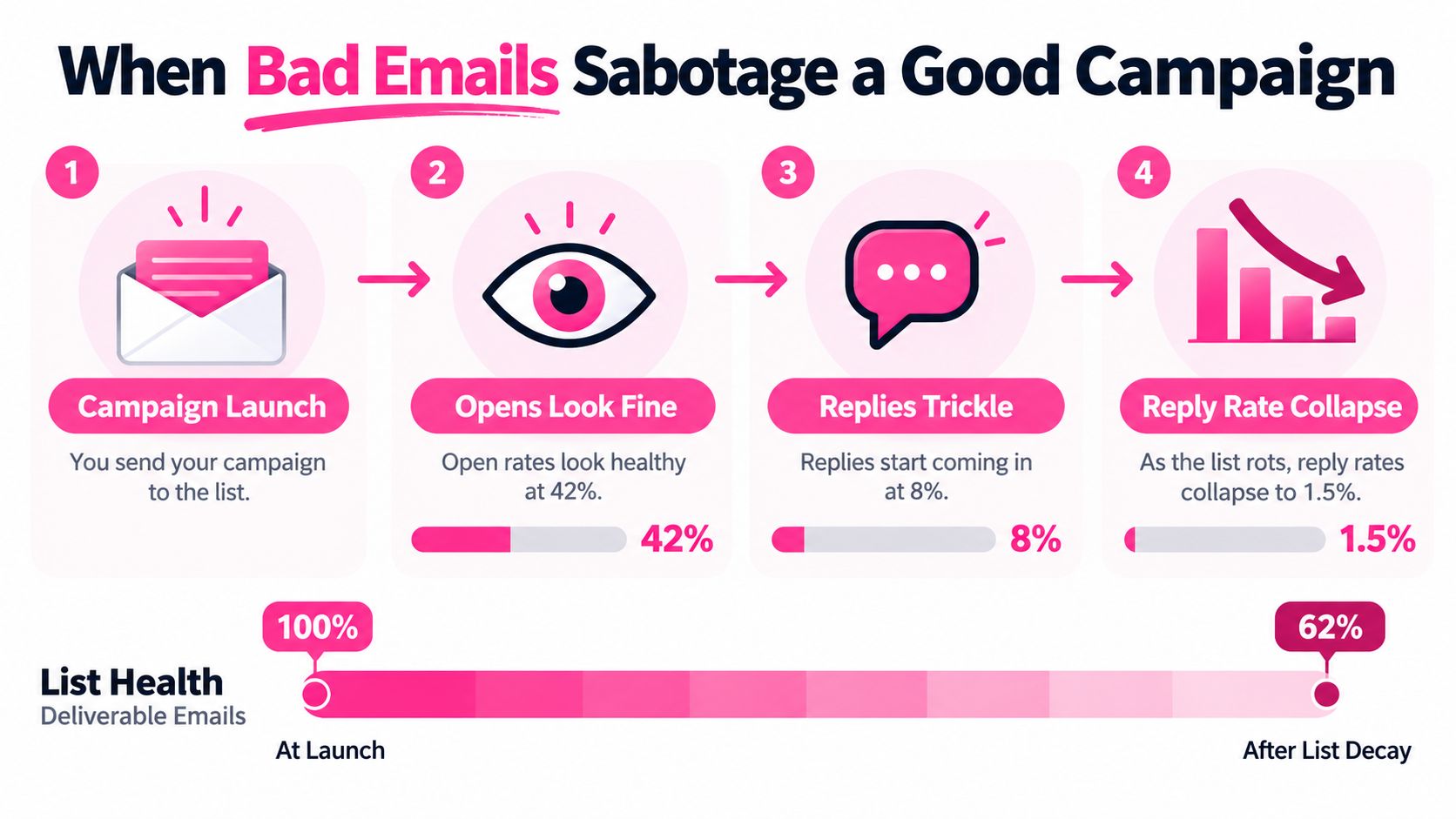
Teams that treat cleanup as a one-time purge miss how fast contact lists drift. Job changes, domain changes, mailbox deactivation, and company closures keep moving the target, so verification needs to happen before send day and again after major imports or long gaps between campaigns. If you are staring at a messy list, cleaning a lead list before outreach is a practical first pass to strip out obvious junk before it reaches your sender reputation.
Practical rule: if a list passed six months ago, treat that result as stale. The inboxes and domains you saw then are not the same ones you have now.
The operators who keep campaigns alive do not talk about “clean” or “dirty” lists. They score recency, risk, and recheck timing. Verify new records before sending, suppress hard-bounced addresses right away, and recheck older records on a cadence that matches your outbound volume. That also matters for pay-per-close B2B teams, where a few bad records can waste sales time and leak privacy-sensitive contact data into the wrong workflow.
The Four Layers Every Verification Stack Needs
Start with syntax, not guesswork
The first layer is basic structure, and it's the one many overcomplicate with brittle regex. RFC 5322 defines the address grammar, so a verifier needs to parse local-part@domain and validate the syntax against the standard rather than rejecting anything that looks unusual. That matters because plus-addressing, quoted local parts, and other compliant forms can get flagged by hand-written patterns even though they're valid.
A syntax check proves that the address is shaped like an email address. It does not prove that the mailbox exists.
Then check the domain and DNS
A string can be syntactically valid and still point nowhere useful. The next layer is domain inspection, including DNS and MX records, with A or AAAA fallback only when policy allows it. Here, you learn whether the domain has mail-routing infrastructure at all, and you also catch no-mail-domain situations before wasting time probing mailbox status.
Probe the mailbox, but treat the answer carefully
SMTP probing sits deeper in the stack. A verifier connects to the MX host, issues EHLO, then tests RCPT TO for the target address. That gives you a useful signal, but it's still only a signal. Providers can greylist, tarp, or deliberately blur responses to reduce address harvesting, so the result has to be interpreted probabilistically, not worshipped as truth.
For teams filtering disposable domains during signup flows, filtering disposable emails at checkout is a useful practical reference because it shows how risky domains show up in real acquisition funnels.
Score the behavior, not just the mailbox
The last layer is reputation and history. Bounce patterns, role-address signals, disposable indicators, catch-all behavior, and engagement history all matter because they tell you how safely the address fits your use case. That's why modern verifiers shouldn't return a binary flag. They should return a taxonomy like deliverable, risky, unknown, and undeliverable.
The simple mistake is treating every non-obviously-invalid record as sendable. The better move is to combine layers and let the classification drive action. That's how you stop paying for noise.
A Practical Step-by-Step Verification Workflow
Start by normalizing the input carefully. Trim safe whitespace, preserve the local part where case could matter, and split the string into the address components before you do anything else. Then run the syntax check against RFC 5322 instead of using a rigid pattern that breaks on valid edge cases.
Next, resolve the domain and inspect the mail-routing records. If the domain has no usable mail path, stop there. If it does, connect to the top MX host, send EHLO, then use a controlled MAIL FROM identity and test RCPT TO without sending message content unless you've got a lawful reason to go further.

Operational rule: a 250 response is not proof that the address is genuinely deliverable, while a 550/551 rejection is a much stronger failure signal than a temporary 4xx deferral.
Catch-all detection matters here. Probe one or more randomized, nonexistent recipients and compare those responses with the target address. If the server answers the fake address the same way it answers the target address, classify it as accept-all or unknown instead of pretending it's clean. Keep the log useful too, with the MX host, SMTP status, enhanced status code, TLS result, timestamp, and retry history recorded for auditability.
If you need a broader workflow reference for how this plays inside a live outbound system, the operational flow at how Ever Outbound runs campaigns is a reasonable lens because the verification step sits inside a larger sending sequence, not outside it.
The strongest proof is still a confirmation email with a unique, expiring token. SMTP tells you the server's posture. A token tells you the mailbox can be reached and used by the person you care about.
How to Read the Results Your Verifier Gives Back
A verifier result only helps if you read it as a risk score, not a yes/no stamp. Deliverable usually means send, but keep normal monitoring in place. Risky means isolate the record, review the source, or keep it out of your broadest sequences. Unknown means the signal is incomplete, so treat the address cautiously instead of assuming it is safe.
Role-based addresses like sales@ or support@ can be real, but they are rarely the right target for direct outreach. Disposable addresses are tougher because they may accept mail now and disappear soon after. Catch-all results need special handling because a server that accepts anything can make bad data look cleaner than it is.
A verifier is giving you a routing decision, not a sales decision. A Fortune 500-style role mailbox may be technically valid and still be the wrong destination for a pipeline campaign. A disposable inbox can pass verification and still hurt delivery later.
Saleshandy's analysis of more than 30.31 million cold emails found a 1.21% bounce rate for valid addresses, 2.22% for risky addresses, and 10.58% for bad addresses, which is why classification beats a flat valid/invalid label. Those gaps change how you read campaign performance, especially when you are trying to separate list quality from copy or offer problems. A hard-bounce rate above 2% is a list-hygiene warning, and mailbox providers treat campaigns above a 5% hard-bounce rate as a serious deliverability problem, as reflected in Google's email sender guidelines. For teams that need the reporting side tied to revenue movement, track subscription revenue changes is a useful reference point for how operational reporting should be framed.
If your verifier returns mixed signals, do not force a binary answer. Put the address in the right bucket, send only where the risk justifies it, and keep edge cases out of core campaigns. Teams that want this classification logic to feed directly into outbound operations can use the Ever Outbound docs as a working reference.
Verified Does Not Mean Safe to Send
A passed verification only tells you the address can receive mail and the sender setup is in order. A contact can still be a poor outreach target, and that is where risk scoring matters more than a clean yes/no result.
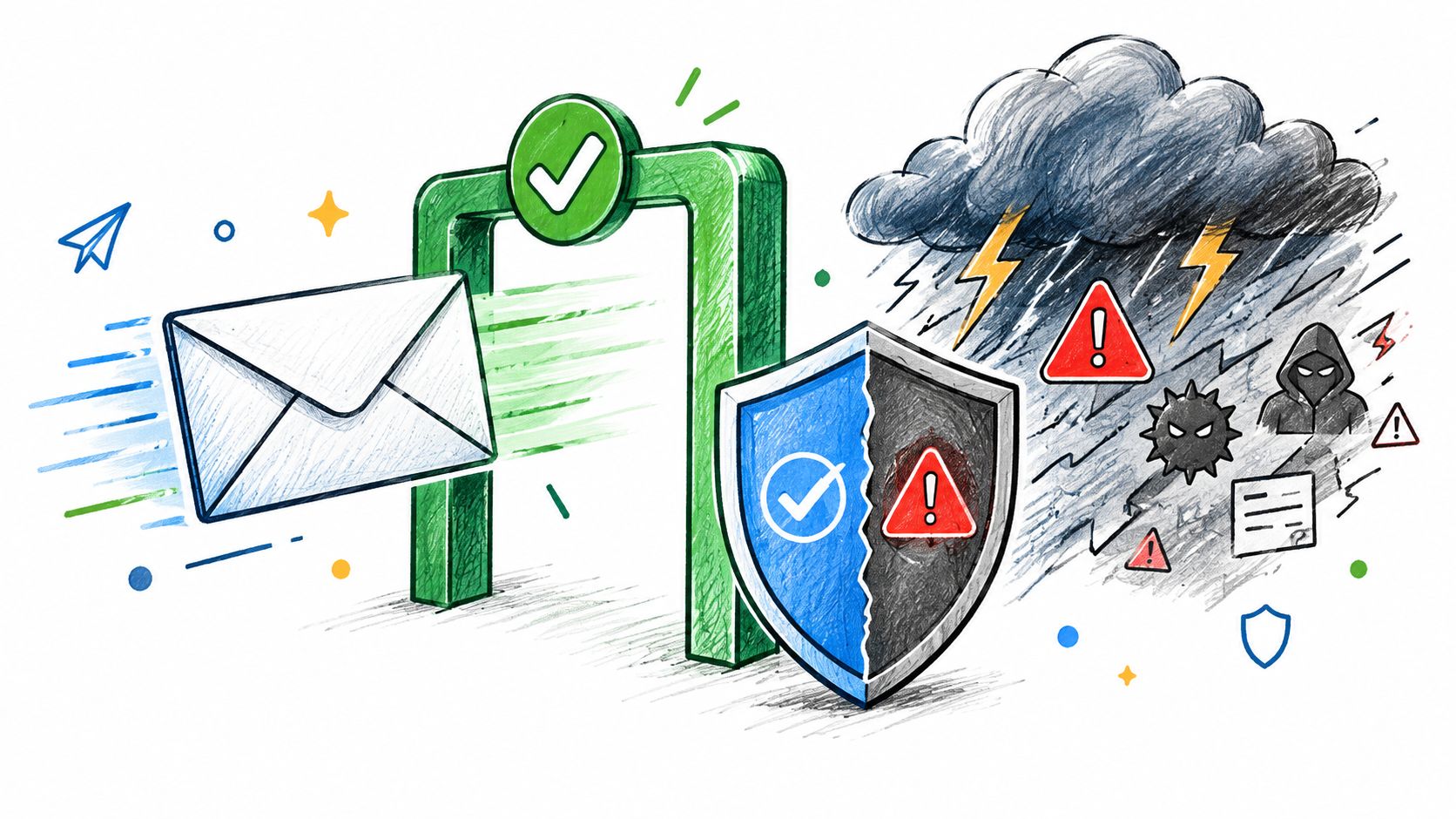
Authenticated mail can still end up in spam. The point is simple, authentication protects sender identity, but it does not guarantee inbox placement, relevance, or a low complaint rate.
Google's sender requirements draw the same line. Bulk senders, defined there as those sending more than 5,000 messages daily to personal Gmail accounts, need SPF, DKIM, and DMARC, along with one-click unsubscribe and complaint-rate controls, as set out in Google's Email Sender Guidelines. That is a sending-policy layer, not a recipient-quality check.
A verified contact is only one input in the decision. Blend it with authentication status, segmentation, suppression rules, and bounce and complaint monitoring after send. If you want a practical way to review inboxing risk before a campaign goes live, email deliverability diagnostics can sit above raw verification and show where a “valid” list still carries deliverability risk.
The Privacy Layer Verification Guides Rarely Cover
Verification can expose more than teams expect. A full email address may be handed to an external verifier, and SMTP probing can expose it to the recipient's mail server during the lookup. If the address belongs to an identifiable person, you're dealing with personal data, which means the privacy question isn't optional.
That's where most how-to content goes silent. In practice, you need a lawful basis, a clear collection source, encryption at rest and in transit, rate limits, and a defined deletion policy instead of indefinite retention. The moment you upload client prospect lists, you also need to think about subprocessors, cross-border transfers, and access controls, because technical accuracy doesn't erase compliance exposure.
Practical checklist: confirm lawful basis, document where the list came from, encrypt it, limit who can see it, delete it when the job is done, and don't reuse verification outputs for enrichment or model training without a clear basis.
A deliverable address is not proof of consent, legitimate interest, or relevance for marketing. It only tells you the mailbox exists or likely exists, which is a narrower claim than most outbound teams want to hear. That's why agencies and operators need a separate policy for validation versus permission.
For teams handling sensitive prospecting work, credential exposure intelligence is a useful reminder that email addresses, once collected, sit inside a broader security and privacy surface. The internal policy point is simple, and the Ever Outbound privacy page should reflect the same discipline if your workflow touches client data.
Tying Verification to Real Pipeline Outcomes
Verification works when it sits inside the operating routine, not outside it. Verify new records before sending, suppress hard-bounced addresses immediately, and recheck older records on a recurring schedule, especially before large campaigns or after a major data import. Track hard-bounce rate as a first-class quality metric, because it tells you whether the list is decaying faster than your process can handle.
For pay-per-close B2B operators, this matters twice. Ever Outbound runs done-for-you client acquisition on a pay-per-close basis, so the list it ships into research, copy, and appointment setting is the list that decides whether calls get booked and deals get closed. Verification isn't a back-office chore there, it's one of the controls that keeps the only thing the client pays for, a closed deal, on the table.
When you're deciding how to verify email, don't settle for a yes/no flag. Fold syntax, DNS, SMTP, behavioral signals, and compliance checks into a single risk score, then act on that score with the same seriousness you give the campaign creative.
Ever Outbound Inc. helps B2B teams run outbound campaigns - on a pay-per-close basis - with research, copy, deliverability, and appointment setting handled in one managed service. If you want verification discipline built into the outreach system itself, visit Ever Outbound Inc. to see how pay-per-close client acquisition fits into that workflow.