November 22, 2026
How to Warm Up Email Domain Without Burning It
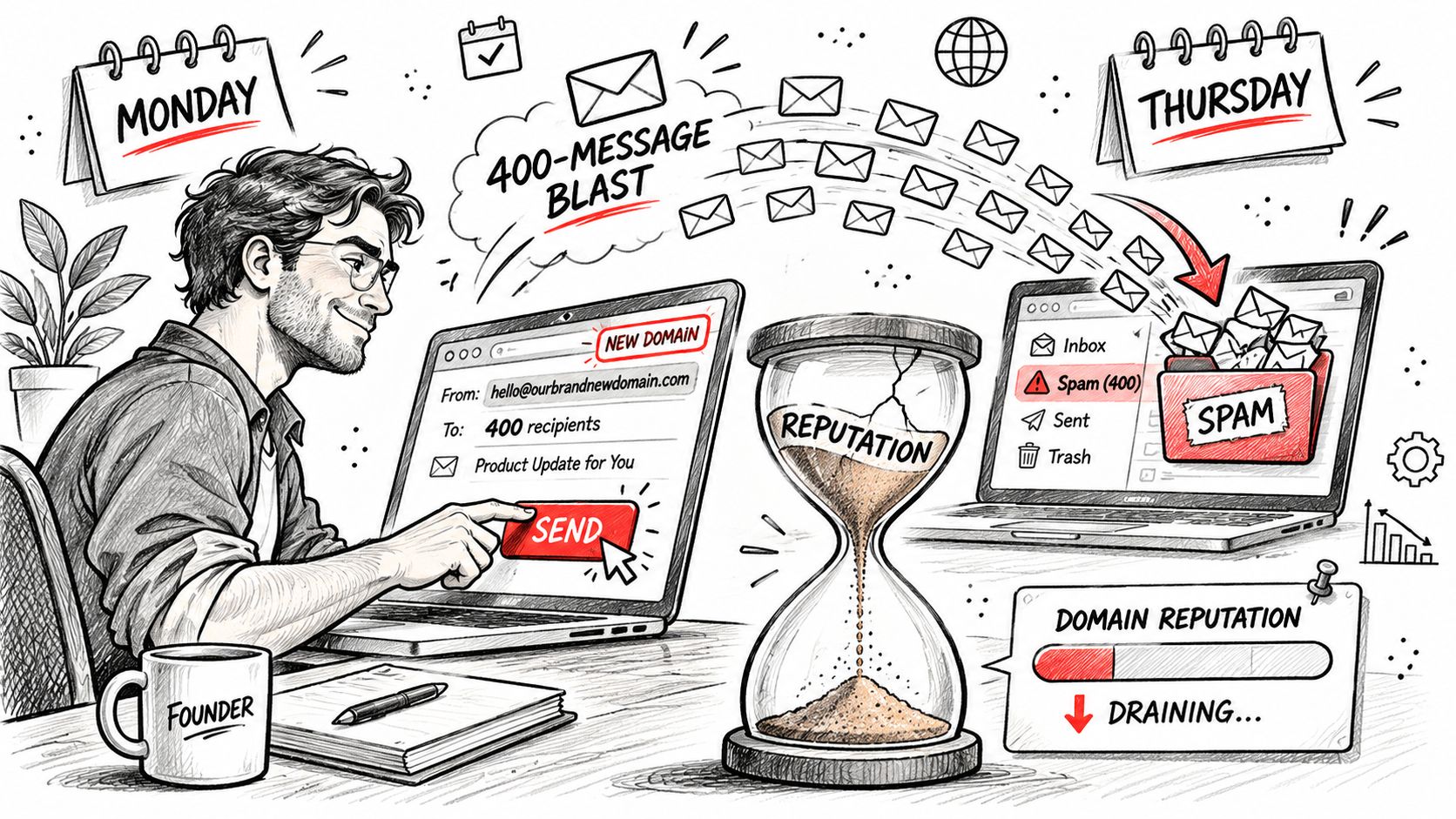
You bought the domain on Monday. On Tuesday you uploaded 400 prospects and hit send. By Thursday the replies had dried up, the opens had vanished, and the handful of messages that did arrive were sitting in spam next to a pharmacy ad.
Nothing was broken. You spent a reputation the domain hadn't earned yet.
Founders treat a new domain like a fresh social account: sign up, post, see what happens. Mailbox providers don't work that way. They build a picture of your domain from how recipients react to it, and that picture starts at suspicious. Warming is how you change it, one small, boring, well-targeted batch at a time.
Table of Contents
- What Domain Warmup Actually Buys You
- How to Prepare the Domain and What to Send
- Reputation Gates That Decide the Next Volume
- Phased Daily Volumes for a New Domain
- Fixes When One Inbox Provider Goes Cold
- Keep Warming Yourself or Hand It Off
What Domain Warmup Actually Buys You
Domain warmup is gradually proving trustworthy sending behavior before you raise volume, not waiting out a fixed number of days with the send button untouched. One version builds evidence. The other just builds a calendar.
Gmail made the stakes explicit on February 1, 2024, when it began requiring every sender delivering mail to Gmail accounts to meet its sender standards. Ordinary senders need SPF or DKIM. Bulk senders need SPF, DKIM, and DMARC together, plus valid forward and reverse DNS, TLS, standard message formatting, and an easy unsubscribe on promotional mail, per Gmail's sender guidelines. Gmail also scores user-reported spam daily, recommends staying under 0.10%, and warns against ever approaching 0.30%.
Authentication comes before volume, then. A domain that fails alignment isn't being warmed, it's being tested on strangers. What the ramp proves is narrower than people think:
- Authentication: SPF, DKIM, and DMARC pass and stay aligned, send after send.
- Tolerance: complaints stay rare and hard bounces stay low across real recipients.
- Relevance: people reply instead of reaching for the spam button.
The rule that matters: reputation is earned in the inbox, not on a calendar.
So here's the uncomfortable part. Finishing a 30-day sequence does not make a domain safe. A domain can complete every day of a ramp and still be one bad list away from the spam folder. Warming an unused domain also won't repair weak targeting or outreach nobody wanted. Those are list and offer problems, and no send schedule fixes them.
Your job for the rest of this guide is narrow. Authenticate first, mail people who should want the note, then let complaint and bounce signals decide whether tomorrow's volume goes up, holds, or drops. Testing subject-line variants during that process is normal; a spintax generator will rotate the wording for you, as long as every version still sounds like a person wrote it.
How to Prepare the Domain and What to Send
A domain isn't ready to warm because a mailbox exists. It's ready when the plumbing is boring and correct. Run the setup in this order and you'll spend the ramp reading signals instead of debugging authentication at 11pm.
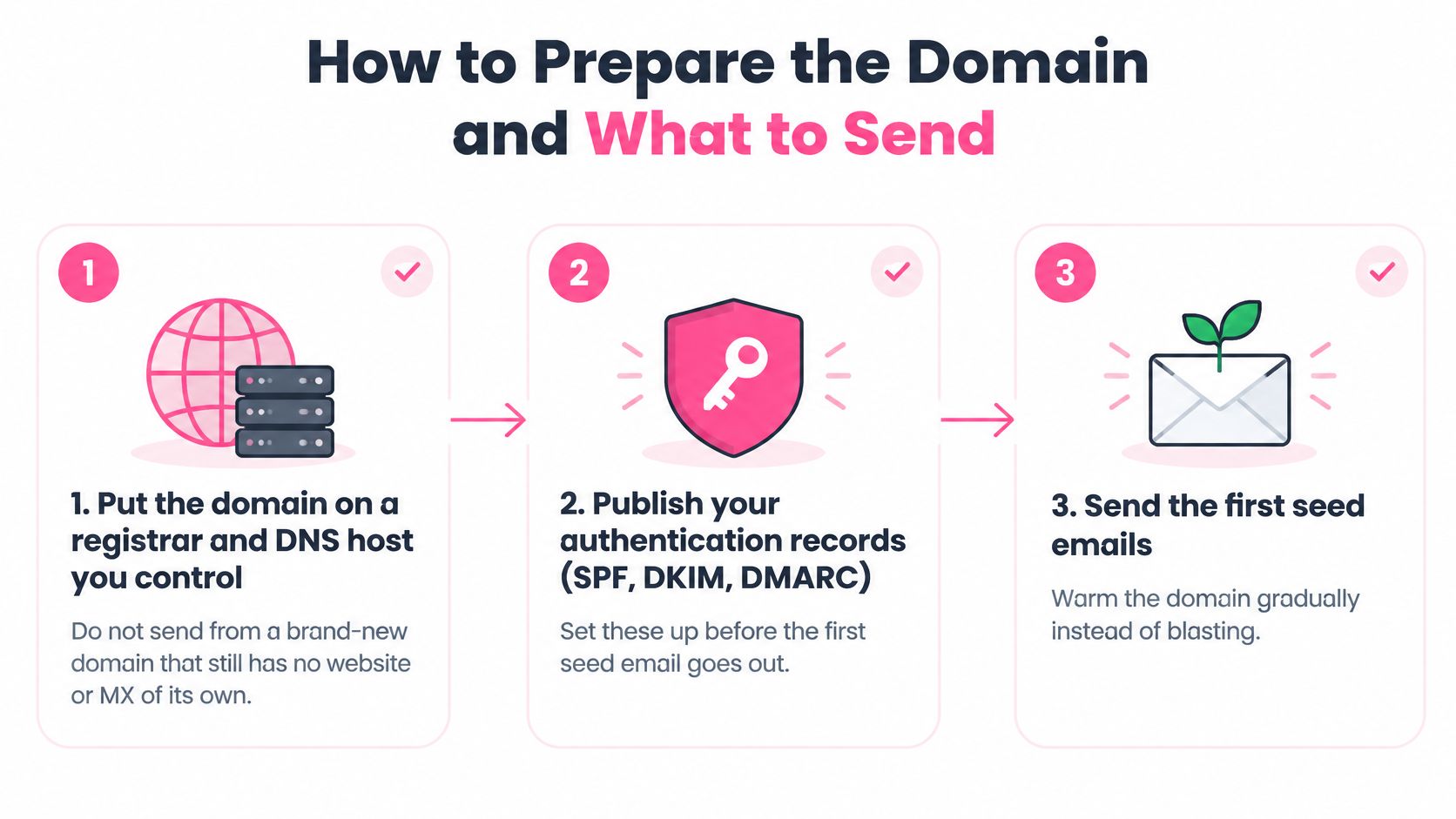
- Own the plumbing. Register the domain and control its DNS host yourself. A brand-new domain with no website and no mail exchanger of its own, sending the same week, looks like what it is.
- Publish one SPF record for the exact platform you send from. One. A second SPF record breaks the check instead of adding a sender.
- Turn on DKIM and confirm the selector resolves. "Enabled" in a dashboard is not the same as a key that verifies on the receiving end.
- Start DMARC at p=none, align the From domain with either SPF or DKIM, and add a rua tag so aggregate reports land somewhere you read. Yahoo requires bulk senders to publish both SPF and DKIM, a DMARC policy of at least p=none, and alignment between the From domain and the SPF or DKIM domain, and it caps spam complaints below 0.30% (Yahoo sender best practices).
- Check the unglamorous infrastructure. Forward and reverse DNS, TLS on the sending server, and a custom tracking domain on your own brand instead of a shared shortener.
- Create one or two mailboxes. Not twelve. Set a real display name and a reply-to address a human monitors.
- Include a working unsubscribe on anything promotional, and plan for one-click unsubscribe once your daily volume toward consumer inboxes gets large.
Look at what that complaint limit is measured against: mail that reached the inbox, not the number of messages you attempted. Track complaints against delivered volume, or your math will flatter you every single week.
If you'd rather see the setup walked through on screen, this covers the same ground.
What the Emails Should Contain, Week by Week
The first seven days are not a campaign. They're a signal test.
- Plain text, one topic. No header image, no logo block, no more than one link.
- A question a person can answer. Tied to something specific about their business, not "thoughts?"
- One send, then wait. No three-step follow-up chain in week one.
From day eight onward, keep messages short and specific, and give a real reason you wrote to that person. Spray-and-pray templates fail the relevance test even when the volume is low, and relevance is the thing Gmail's complaint math is really measuring.
Skip open rate as a goal during the ramp. Privacy proxies and security scanners manufacture opens that never happened, so optimizing for them means optimizing for noise. Ask for a reply instead, then answer it the same day. That thread is worth more than a hundred phantom opens.
One edge case bites teams who automate too much: a warmup network that only talks to other warmup inboxes can paint a flattering picture that no real recipient agrees with. Mix genuine human mail into the ramp from day one. The list you send to also decides how the ramp goes, and how mailing lists fuel business growth is the other half of the deliverability story. Before the first seed email, run your contacts through a validator; our lead list cleaner catches the dead and duplicated addresses that turn a clean ramp into a bounce problem.
If you would be embarrassed to receive it, do not use it to warm the domain.
Reputation Gates That Decide the Next Volume
Volume is the output. Complaints, bounces, authentication, and placement are the inputs. Teams often stare at the output, guess at the inputs, then act surprised when a domain that looked fine on paper collapses in week three.
Check these gates once a day, per mailbox and per provider. Never as one blended number for the whole domain.
| Signal | Raise volume | Hold this phase | Roll back or stop |
|---|---|---|---|
| Spam complaint rate | Under 0.10% of delivered mail | 0.10% up to but under 0.30% | 0.30% or higher |
| Hard bounce rate | Under 1% | 1% to 2% | Above 2% to 3% |
| Authentication | SPF, DKIM, and DMARC pass with alignment | A single transient failure | Repeated failures in DMARC reports |
| Blocklists | No listings | One minor listing | A major blacklist or sudden widespread listing |
| Placement | Inbox or primary, stable by provider | Drift into Promotions or Other | Spam or Junk at any major provider |
| Reply quality | Real human replies | Mostly auto-replies | Spam accusations or unsubscribe waves |
Complaint Rate Leads Everything Else
A complaint is a person telling the provider you were wrong about them. That's the signal providers weight hardest, and it's the one you can move fastest by cutting volume and tightening targeting. When complaints creep into the middle band, don't rewrite the whole sequence. Freeze the ramp, look at which segment complained, and cut or retarget that slice.
Bounce, Authentication, and Blocklists
Hard bounces above the hold line mean your list is stale, and no copy fix rescues a stale list. Pause and re-verify before continuing.
Any authentication failure is a pause until DMARC reports show alignment again, full stop. A single blocklist listing is a pause as well. A major blacklist or a sudden spread across several lists is a rollback, because at that point the domain's sending pattern is the problem, not one bad batch.
Placement and Replies Outrank Opens
Drifting into Promotions or the Other tab is an early warning, not a disaster. Arriving in Spam at a major provider means stop. Reply quality sits alongside placement because it's the honest engagement measure: real sentences in your inbox are a green light, and a pile of out-of-office replies plus two spam accusations is a red one.
A green total can hide a red provider, so never average your way into a bigger send.
Here's how that plays out on a real Monday. Complaints on the Gmail slice jump while Outlook looks untouched. You do not get Wednesday's higher cap. You hold the entire mailbox, fix the Gmail segment by trimming it to strong-fit recipients and dropping extra links, then resume the same row for three clean days before climbing. Before the next raise, run the mailbox through our email deliverability checker so you know whether you're fighting a reputation problem or a configuration problem.
Phased Daily Volumes for a New Domain
Here's the plan you can start tomorrow. No major mailbox provider publishes an official warmup timetable, and guides that do prescribe one tend to suggest starting around 10 to 15 messages a day and rising toward several hundred over four to six weeks (SyncGTM's warmup guide). Those figures are a house style, not a provider ruling.
The rows below are a conservative B2B ramp per mailbox, not a promise. Stay on a row until its advance condition is true, then count mailboxes and sum them for the domain.
| Phase | Days | Emails per mailbox per day | Who you send to | Advance only if |
|---|---|---|---|---|
| Seed and internal | 1-3 | 5-10 | Teammates and known contacts who will reply | SPF, DKIM, and DMARC pass with no authentication failures |
| Light engagement | 4-7 | 10-20 | Recent customers and opted-in contacts | Hard bounce under 2% and complaints near zero |
| Steady ramp | 8-14 | 20-40 | Warmest legitimate prospects | Inbox placement stable and no new blocklist hit |
| Controlled cold | 15-21 | 40-70 | Small verified cold segment | Complaint rate under 0.10% and bounces still stable |
| Scale test | 22-30 | 70-100 | Broader verified list, split by provider | No provider-specific placement drop |
| Production cap | 31+ | 100-150 | Segmented verified prospects | Another clean week at the prior row |
Reading the Ramp One Row at a Time
The first row isn't about reach, it's about proving that your records pass on live mail. Mailbox-to-mailbox traffic between teammates generates real delivery feedback with no complaint risk, which is exactly what you want while you're still confirming alignment.
The light-engagement row swaps strangers for people who already know you. Recent customers and opted-in contacts will open and reply, and that positive reaction is the evidence providers want before they trust you with colder traffic.
By the steady-ramp row you're back to legitimate prospects, still written plainly and still specific. Keep the volume modest here. Impatient teams get bored at this stage and double the daily count because nothing "bad" has happened yet.
Where Cold Traffic Enters
The controlled-cold row is the first time strangers see your domain. Every address should be verified, and complaints should be sitting under the tightest ceiling you track. If that row wobbles, you don't skip ahead to make up lost ground.
The scale test splits the list by provider so a single ecosystem can't flatter the whole result. Production cap is where a proven mailbox settles: cold volume stays capped until provider-level placement holds clean for another week.
One rule you can't skip. If yesterday's signals slipped, today stays on yesterday's row. And don't spin up extra mailboxes or a cousin domain to dodge a bad day, because shared copy, links, and recipients tie those reputations together whether or not the infrastructure looks separate.
If yesterday's signals slipped, today stays on yesterday's row.
A team running this with Ever Outbound, and we're pay-per-close, typically sees email campaigns launch about 14 days after onboarding because the domains and mailboxes still have to earn that ramp, while LinkedIn campaigns can start within 72 hours. Our outbound volume planner handles the mailbox arithmetic if you'd rather not build the spreadsheet yourself.
Fixes When One Inbox Provider Goes Cold
The most expensive mistake in warming is treating "the inbox" as one place. Gmail's strictest bulk requirements apply to senders delivering 5,000 or more messages a day to personal Gmail accounts, while Outlook, corporate Microsoft 365, Yahoo, and regional hosts each apply their own filtering and throttling (Gmail's bulk sender rules). A domain can look pristine in Gmail and be deferred at Yahoo the same afternoon.
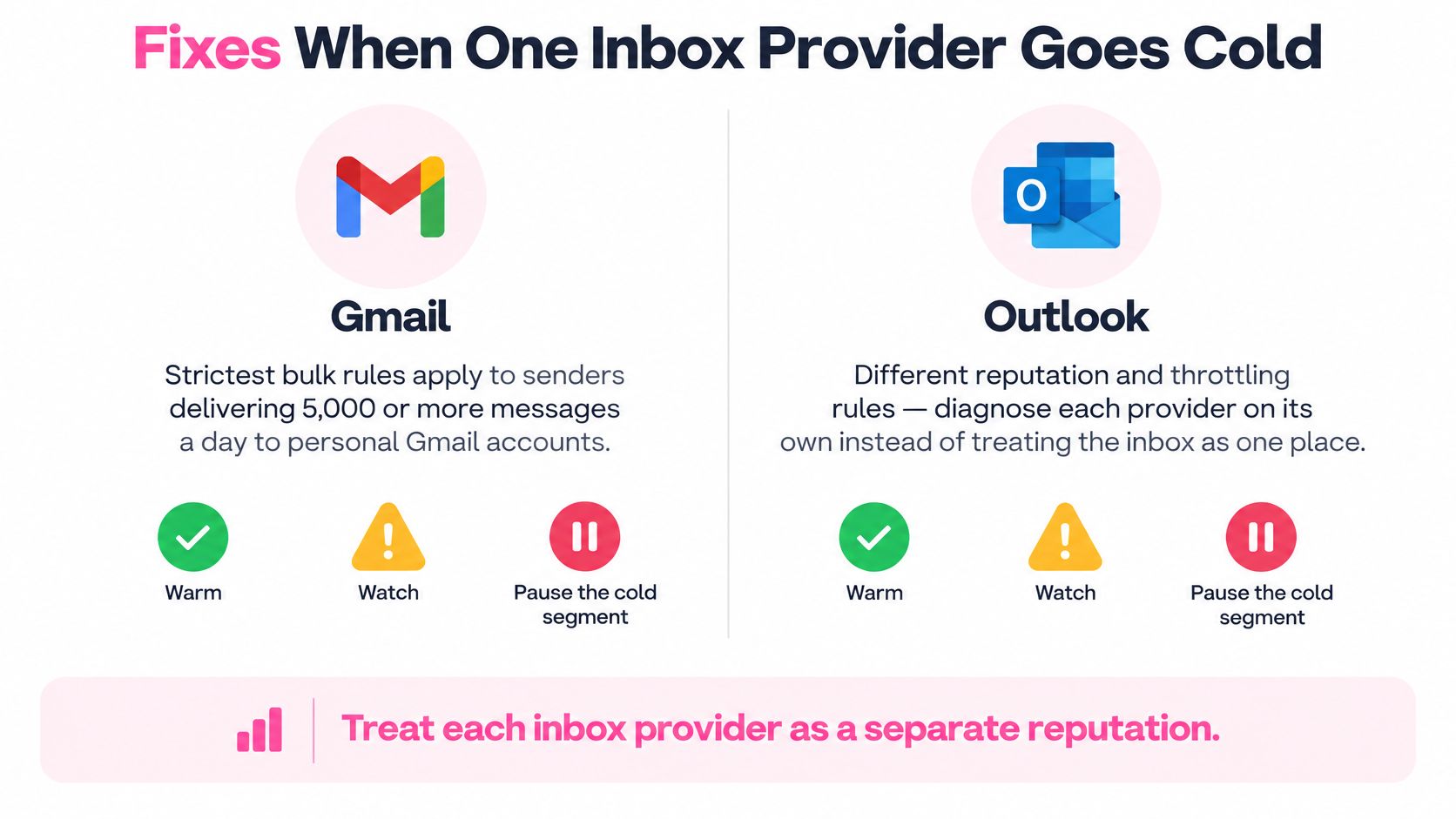
Split your reporting by provider, and by country if you mail more than one. Then use the symptom table as your first move rather than re-reading the volume ramp.
| What you see | Likely cause | First change |
|---|---|---|
| Gmail spam folder, others fine | Complaints or thin promotional content on consumer Gmail | Halve Gmail volume, drop extra links, mail only strong-fit recipients |
| Outlook or Microsoft 365 junk, little bounce detail | New-domain distrust or a shared tracking domain | Pause the Microsoft slice and send plain mail from the warmed mailbox only |
| Yahoo deferrals or temp fails | Authentication, alignment, or complaints on delivered mail | Read DMARC reports and stop Yahoo sends until alignment is clean |
| One country fails, others do not | Local list quality or regional complaint pattern | Pull that country out of the ramp and re-verify those addresses |
| Every new mailbox fails together | Shared copy, links, or recipients tying reputations | Stop the pool and repair the root send before adding infrastructure |
Gmail Trouble Is Almost Always a Relevance Problem
Consumer Gmail filters on engagement and complaint history more than anything a template can fix. Halving that segment, stripping the extra links, and mailing only people with an obvious reason to hear from you usually moves placement within days. Asking one friendly recipient to mark a message "not spam" helps a little, once, and stops helping if you make a habit of it.
Outlook Silence Is Usually Distrust, Not Content
Corporate Microsoft tenants drop messages without notice and report almost nothing back. That pattern often traces to a young domain or a tracking link shared with every other sender on the platform. Pause the Microsoft slice, send plain mail from the mailbox with the most history, and accept that the fix is time plus genuine replies.
Yahoo and Country-Level Failures
Yahoo's deferrals frequently sit next to alignment problems, so read the DMARC reports before you send another Yahoo address. A single country failing while others succeed is a list problem or a local complaint pattern, not a reason to raise the global cap. Pull that country out and re-verify those addresses.
Every extra mailbox or subdomain inherits the same reputation when it shares copy, links, recipients, or sending infrastructure. There's no clean slate to buy your way into.
Never let a happy Gmail report talk you into ignoring a cold Outlook or Yahoo segment.
After any fix, hold the previous phase for three clean days on that provider before climbing again. If placement slid into Promotions rather than Spam, the copy is often the culprit, and our cold email grader will tell you whether the message reads like a promotion or like a person.
Keep Warming Yourself or Hand It Off
Pick one and stop pretending you'll do both. Stay in-house if someone on the team will check complaints, bounces, and provider placement every single day, SPF, DKIM, and DMARC already pass, and your list is verified. That path is the ramp in this guide: one mailbox, the phase you earned, three clean days before every raise.
Hand it off if nobody will read DMARC reports, if a previous domain is already burned, or if sales needs calls more than it needs another deliverability project.
Ever Outbound, and we're pay-per-close, exists for that second case. You pay a 5% commission only when you close a deal from the work, and your first 2 closes are commission-free. The team verifies decision makers, writes short specific copy on warmed domains, and books interested prospects straight onto your calendar, and you show up to close.
If the in-house path is yours, tomorrow's action is phase one only: 5 to 10 real emails, then read the gates before you touch the next row. If you want the managed path, start the warmup clock now rather than the week you need pipeline.
Ever Outbound Inc. sets up and warms the domains, mailboxes, and sending infrastructure this guide describes, then writes short specific copy to verified decision makers and books interested prospects onto your calendar. We work on a pay-per-close basis: 5% commission when you close a deal from our work, with your first 2 closes commission-free. If the ramp is the part you'd rather not run yourself, visit Ever Outbound Inc. and let the warmup run before your first campaign needs to perform.